I forgot my password, how can I recover it?
Discover how to reset your password on Bilky and regain access to your account in a few simple steps.

Introduction
If you've forgotten your Bilky access password, don't worry. You can easily reset it from the login screen by following a few simple steps. Here's how to recover your password and regain secure access to the platform.
How to recover your password on Bilky?
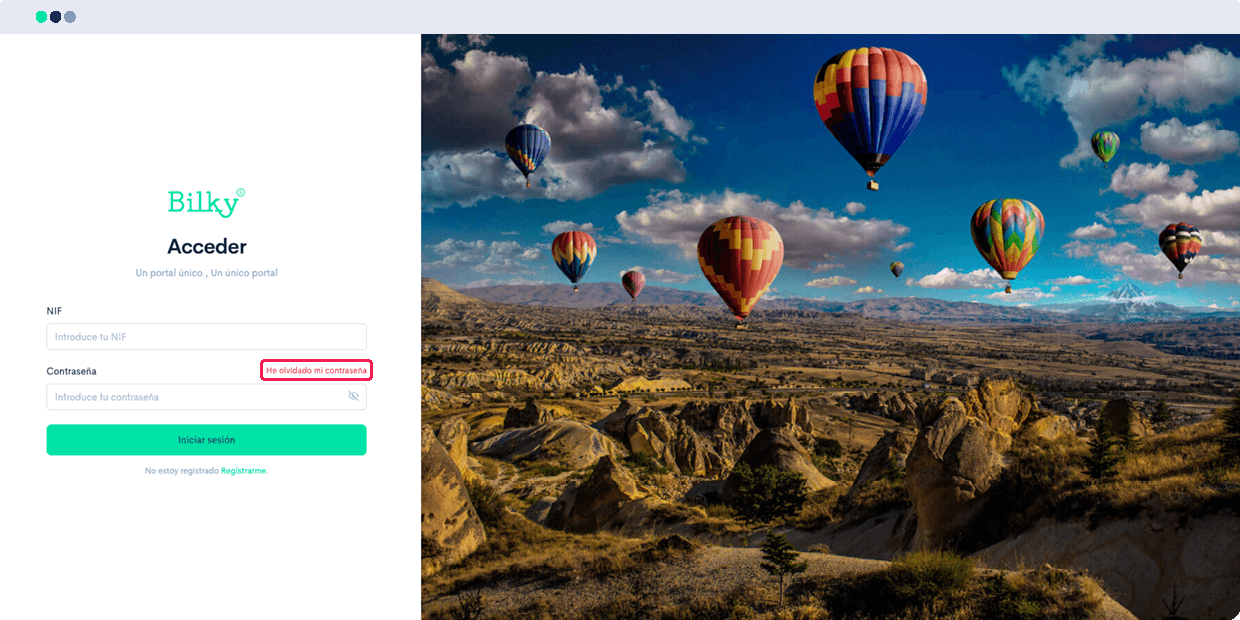
If you don't remember your password, you can use the recovery option available on the login screen.
Request a new password
Click the option «I have forgotten my password» and enter the email address associated with your user.
Enter your NIF
Introduce yourself NIF and click the button «Send». We will send an email to the address you registered with Bilky.

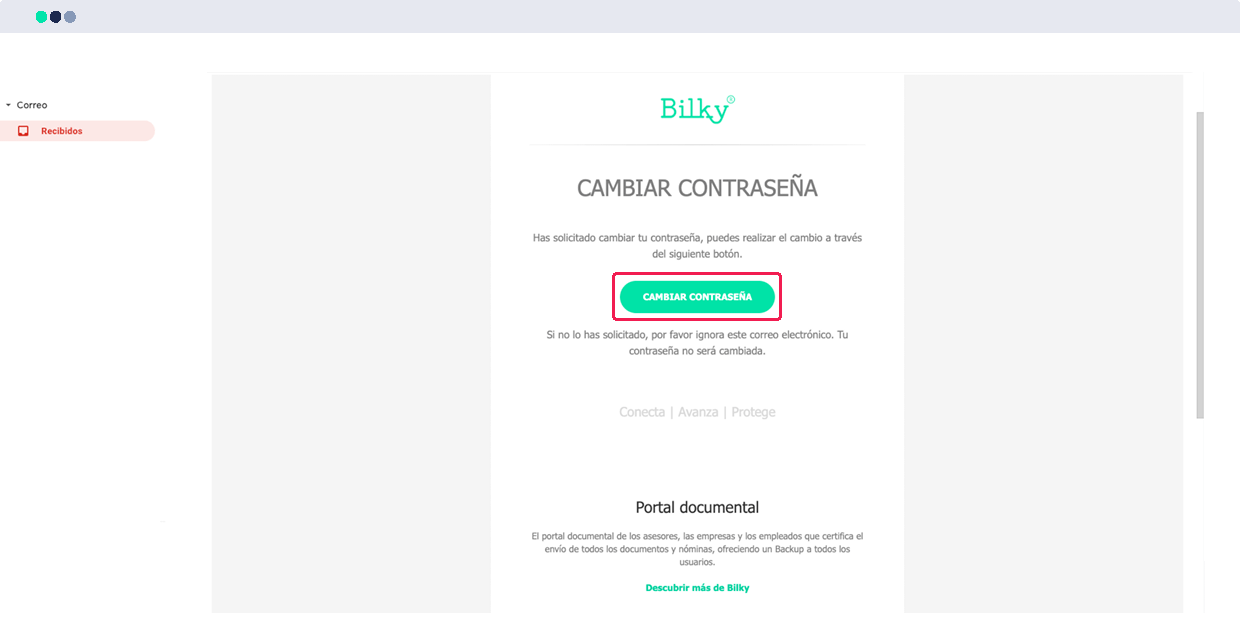
Access the link received by email
Once you have received the email, click on the following link «Change password» to create a new password for your portal.
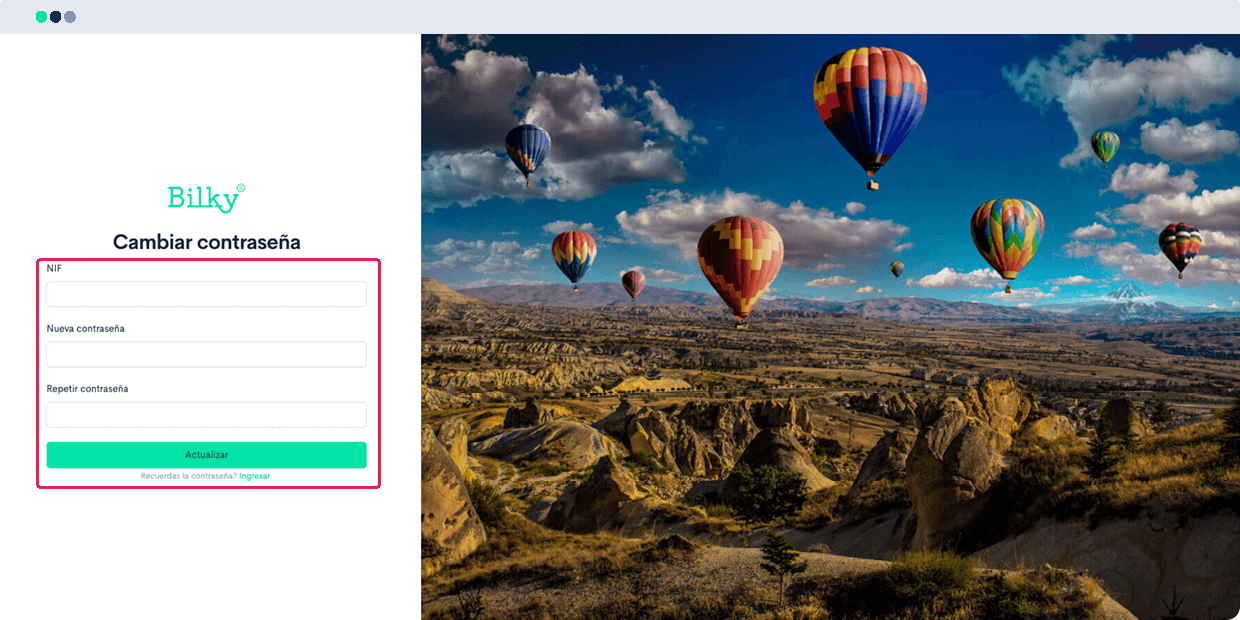
Create a new secure password
You will need to re-enter your NIF and the new password you wish to use.
Remember that to ensure the security of your account, your password must:
- Have at least 8 characters.
- Contain uppercase and lowercase letters.
- To be alphanumeric.
Once the fields are completed, enter the password twice and click «Update».
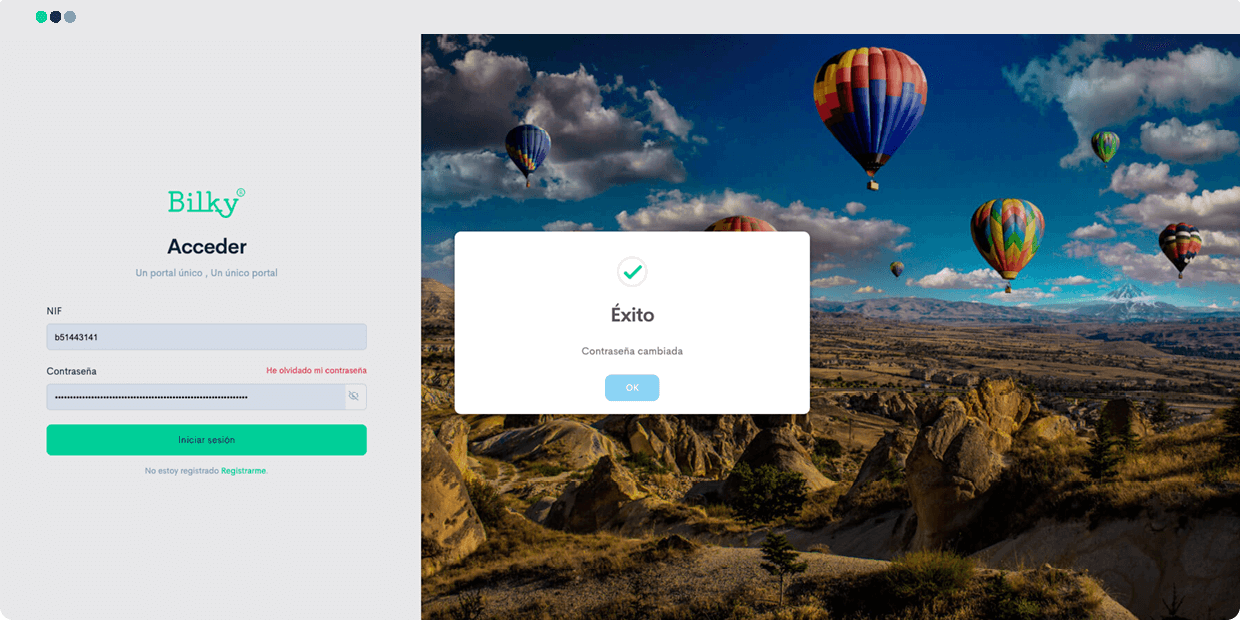
Confirm password change
If the process has been completed successfully, a window will appear «Success» informing you that the password has been updated successfully.
If this window does not appear, the process may not have completed. In that case, verify that you are not using Internet Explorer and repeat the previous steps again.