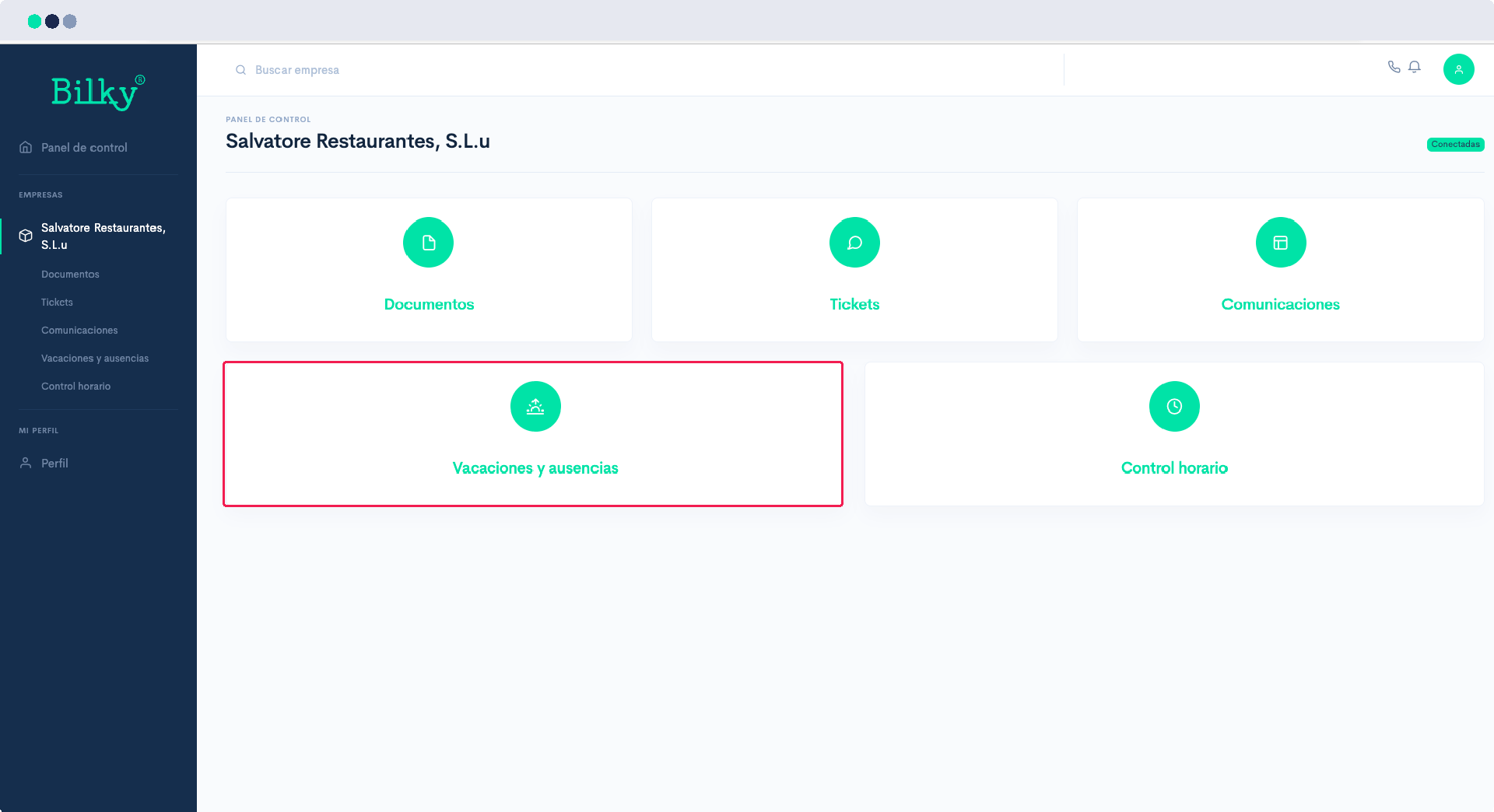
I can't request vacation, I don't get the option.

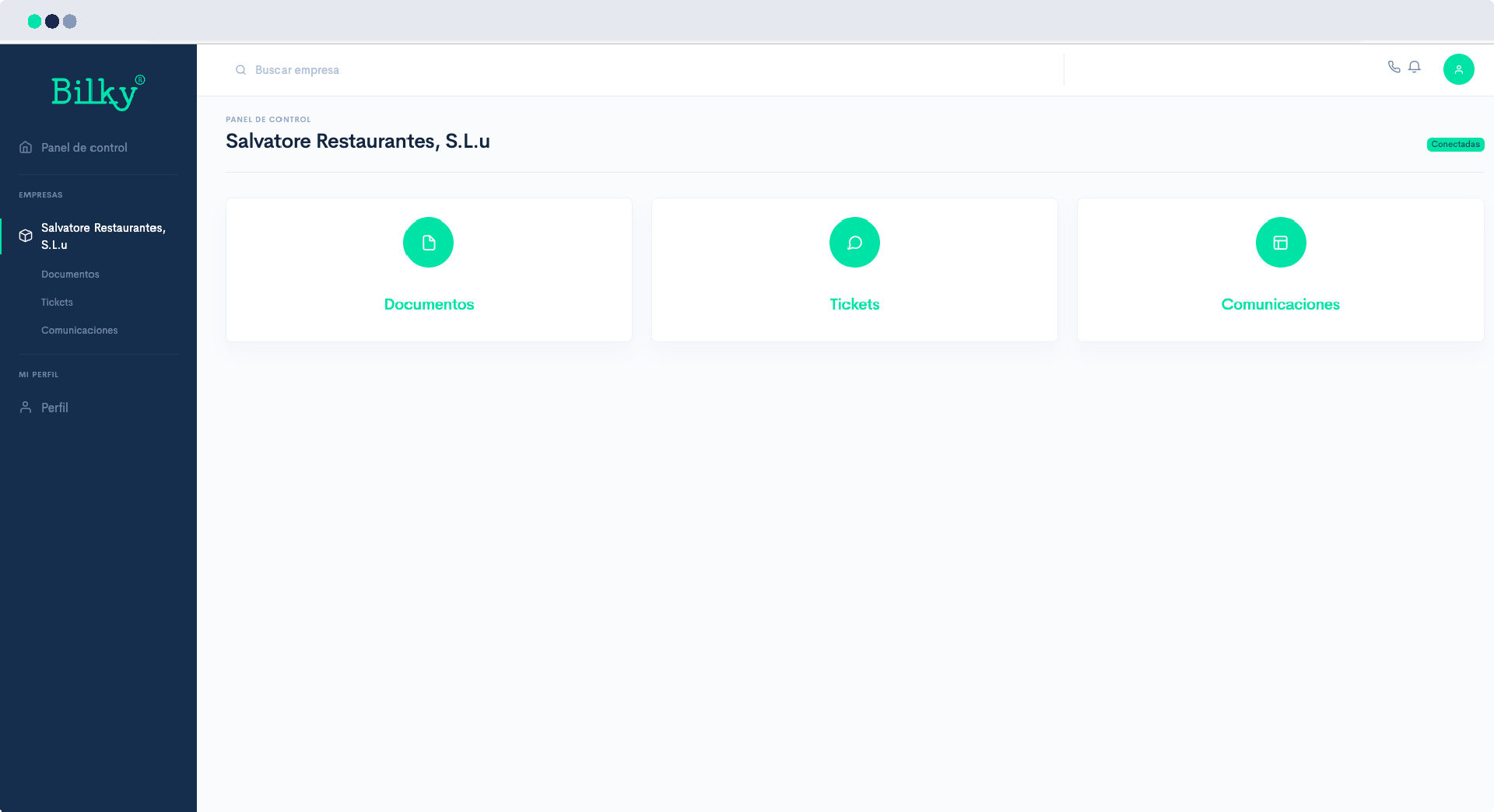
In order for you to be able to request your vacations or absences, the company must have enabled it. If you do not see the Vacation option, it is possible that your company has not yet enabled it, so we recommend that you request it. We show you how to do it:
Step 1
The first thing you should check is that in the main screen of your portal you have the Vacations option. If you have it, you should be able to access normally. In this case it does not appear, that is because your company has not yet enabled this option. Continue with the next step.
Step 2
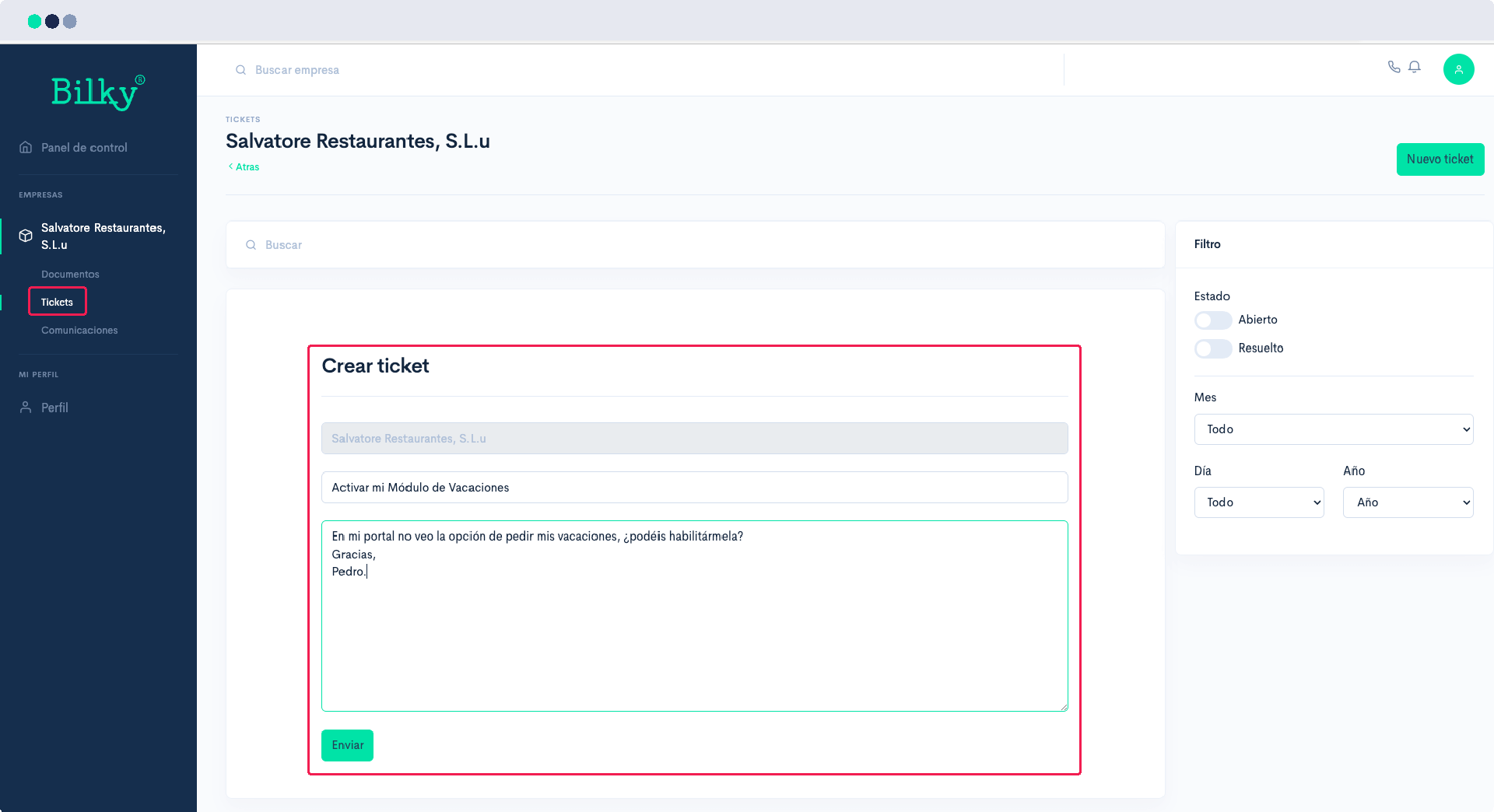
We recommend that you go to the Tickets from your Control Panel and create a new ticket to your company to ask them to activate it for you.
Step 3
When the company activates your Vacations, you will receive an email notice and when you enter your portal you will have the corresponding section and you will be able to request those vacations or leaves that your company allows you.