
You're receiving new company payroll notifications, but when you log into the portal, the documents aren't there. What can you do?

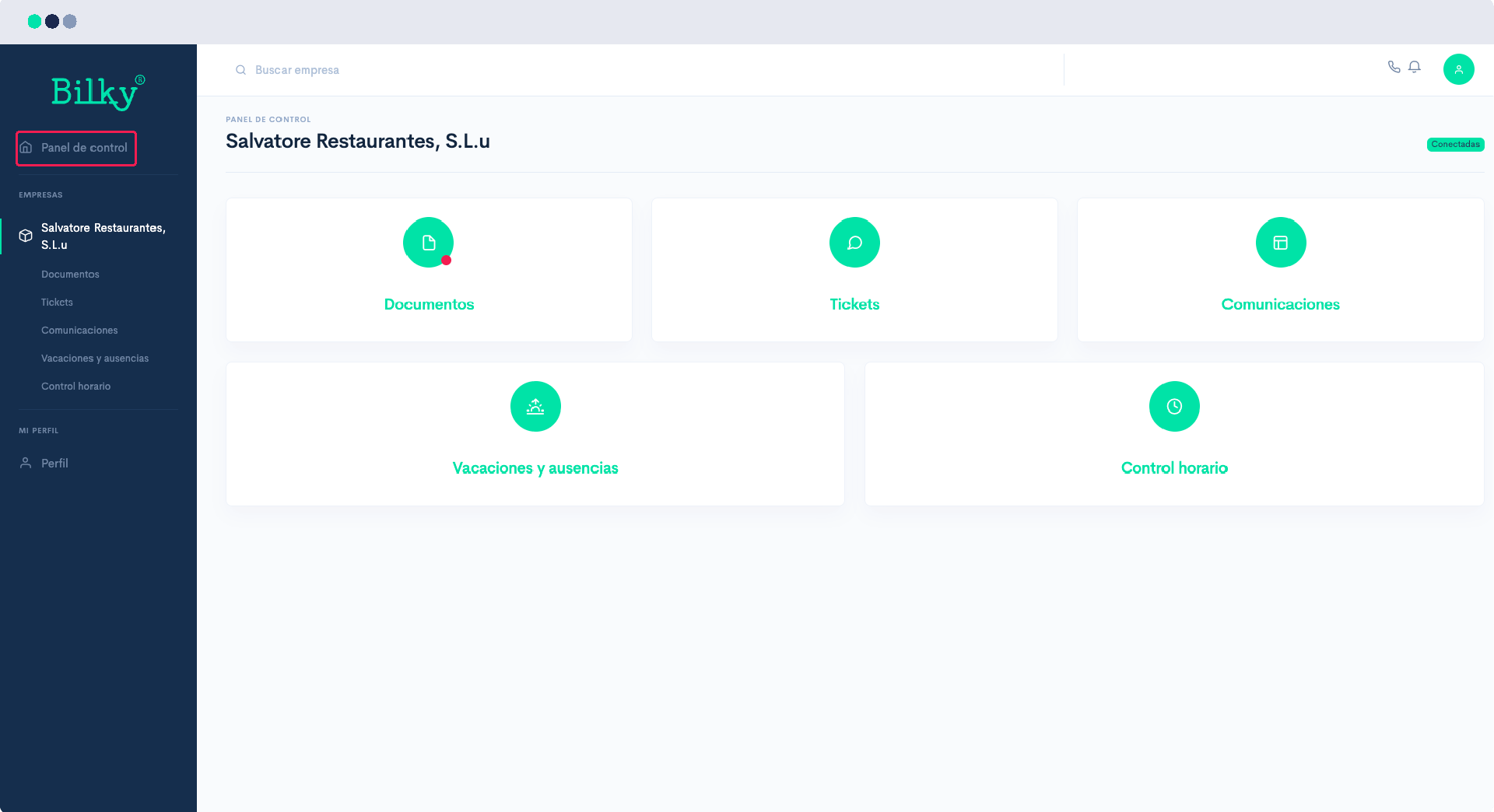
Your portal is prepared to connect with different companies so that you always have access to all your work history even if you change companies. If you are receiving the new document notification email but you enter your portal and do not see it, it is because you have not linked correctly to the new company. We show you how to do it:
Step 1
Log in to your portal with your NIF and password and in the upper left corner you will find your Control panel.
Step 2
In the Control Panel you will find the companies in which you are registered. Under the name of the company you will see your status with est. If it shows you Without logging in, you must Request Invitation.

Step 3
If you have requested InvitacióIf you click on the link to the company you are not connected to, you will receive an email telling you that the company wants to connect with you, and you just have to click on Connect.

Step 4
When connecting we will warn you for security purposes that there is a user with your same email address. If you are the one who is managing the connection with the new company, don't worry, just click on Confirm! This is a security check that we do to warn you if someone is trying to register with your email address.

Step 5
If you have confirmed the email and return to the Control Panel From your portal, you will be able to check that you are connected to the new company and, therefore, you will be able to view the documents sent to you without any problem.
