
My client tells me that he cannot send me documents and that he does not receive my advice.

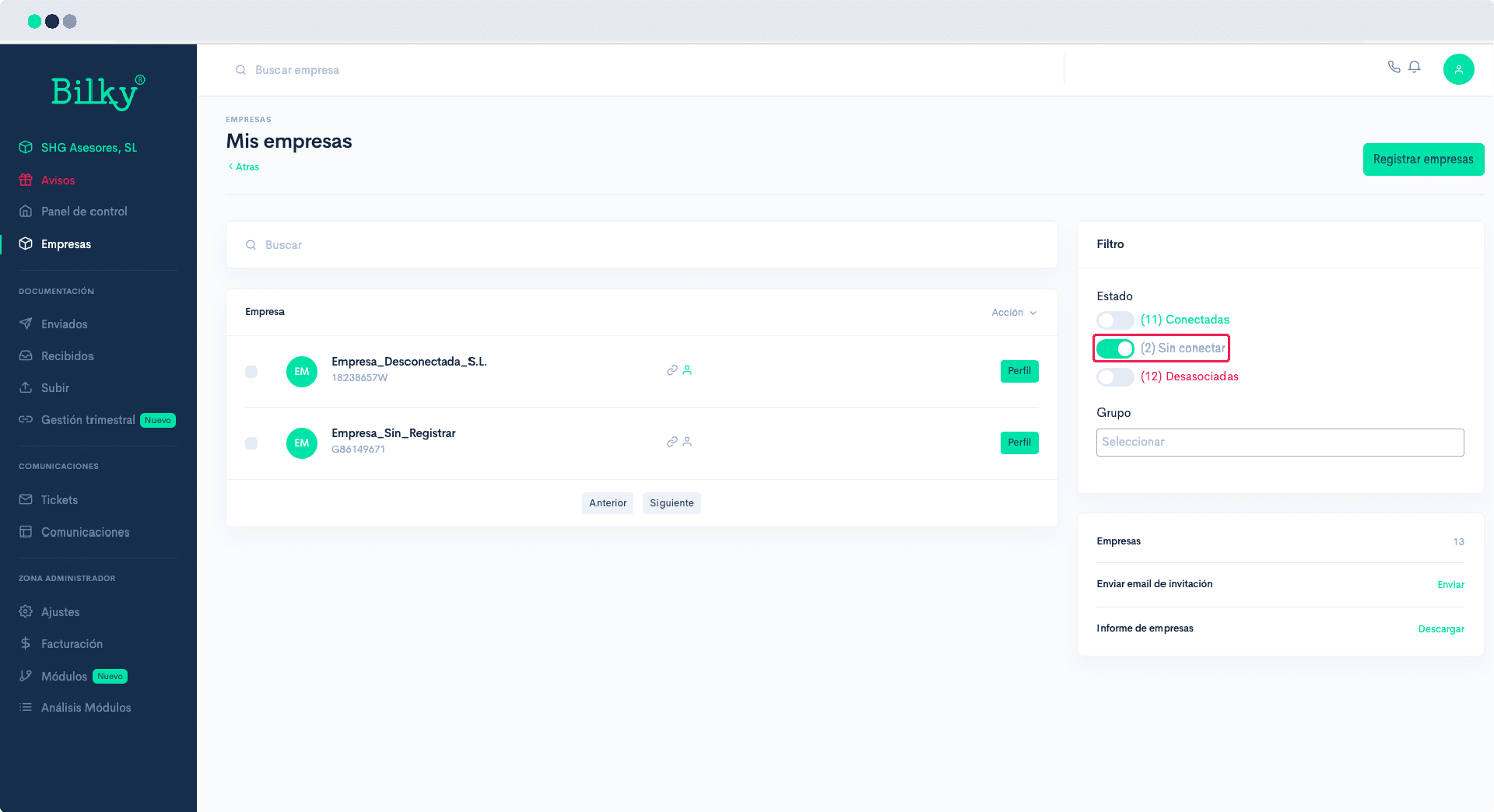
If your client does not see the option to subscribe or no advisor available, he probably registered through the website instead of through the link email he received when you registered him in your portal, and therefore he is not in our database as your client. You just have to link him. We show you how to do it:
Step 1
Access your Advisor Portal and in the control panel go to the section ‘Companies’. On the right side of the screen you will find the Filters. Check here the status of your customer. If he is not linked to you, you will find him by filtering by companies. Not Connected, and the link icon will be turned off.
Step 2
Go to your profile and click on the tab of ‘Basic settings’. On the right side you will find the option to ‘Send invitation to customer’.’. You will receive an email to link to you with a simple one-click link.

Step 3
When the customer has already linked, it should appear in the connected companies. From that moment on you will be able to start communicating with him through the portal.
