
Umbrella Plan: What is it, how do I take charge, where do I see the modules contracted by my clients?

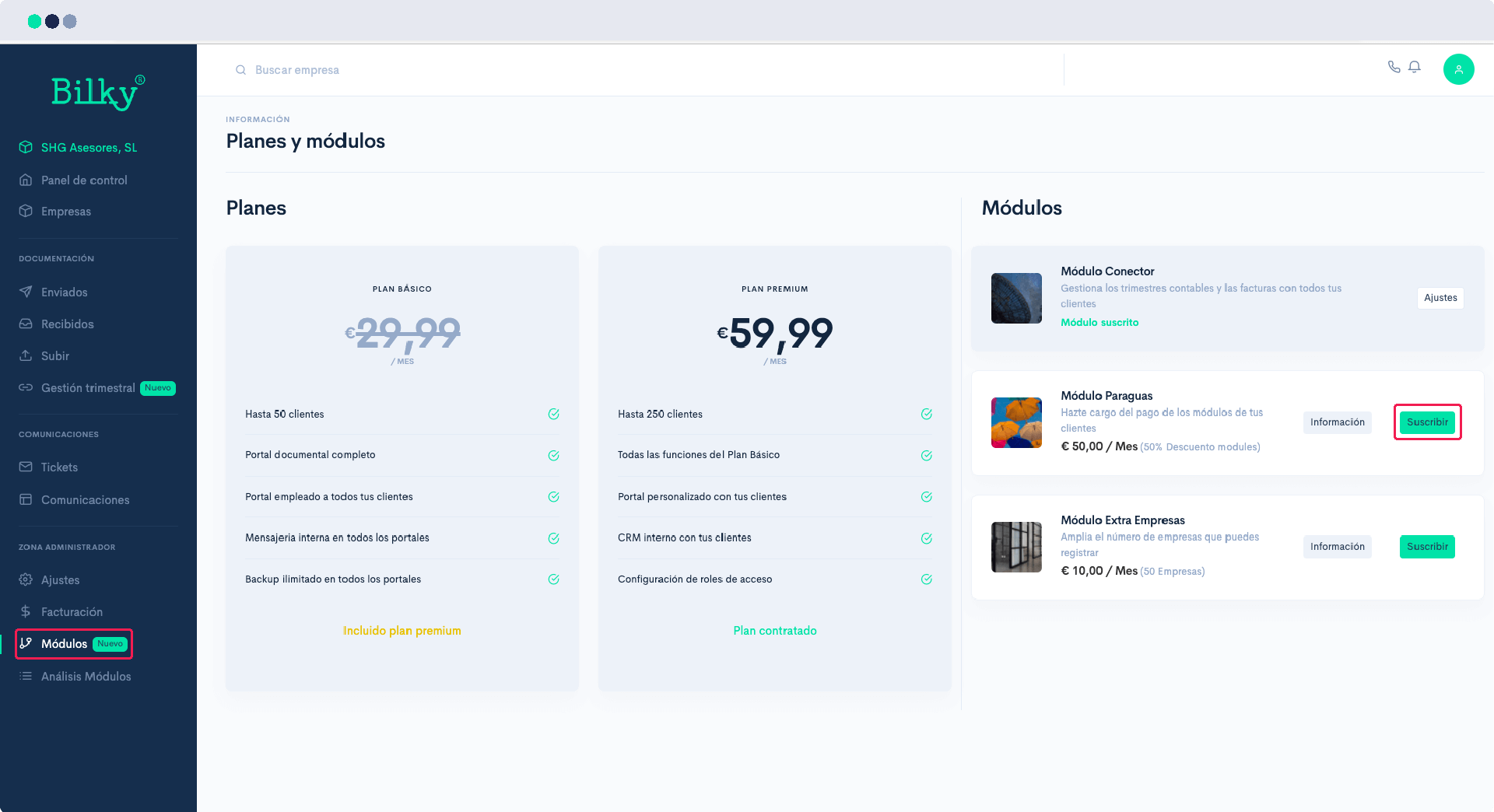
With the ‘Umbrella Plan’ you will be able to take charge of all the Modules that your clients contract, benefiting from a 50% discount on the price of the same. Thus, many Bilky Advisors get their clients to benefit from this discount, or they can also consider their own business model. We explain it to you:
Step 1
Access your Advisor Portal and in the control panel enter the Administrator Zone, under ‘Modules’. You will find the Plans and Modules available in Bilky, among them the ‘Umbrella Module’. You can activate it directly by clicking on the button of ‘Subscribe’.
Step 2
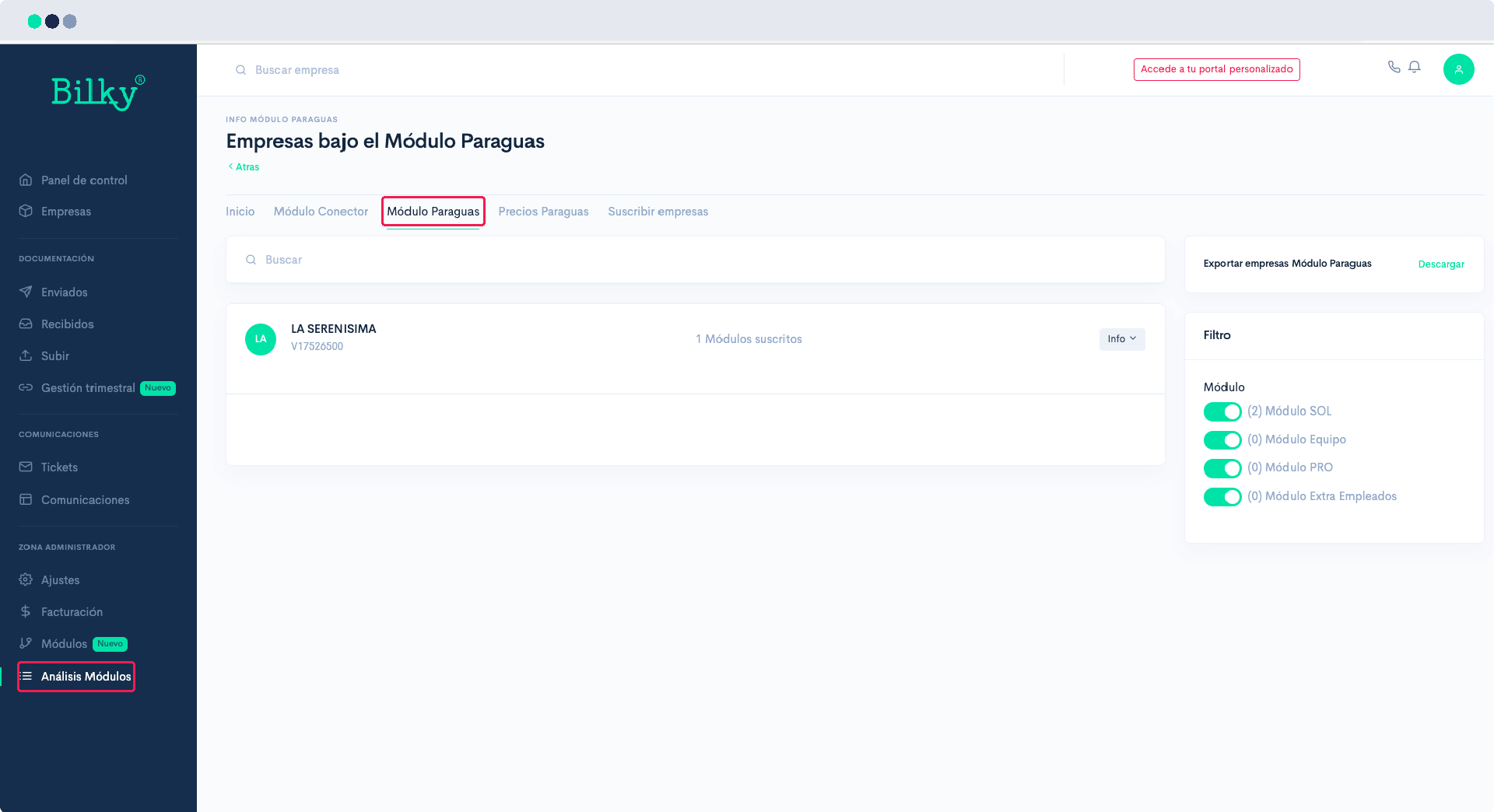
You will be able to have control over the modules your customers have contracted in the section ‘Module Analysis’. In the tab ‘Umbrella Module’ you will see how many companies have subscribed to modules, and which ones they have subscribed to.
Step 3
In the tab ‘Umbrella Pricing’ you have information about the cost of each contracted module for you. You also have information about the cost that it would have for your client if instead of assuming the cost you would have to assume it. Many consultants take advantage of this difference to generate their own business model.

Step 4
In the tab ‘Subscribe companies‘You will have the possibility to activate the modules you want to all your customers simultaneously.
