How can I create specific accesses for the Middle Managers of my company?

If you have enabled the Team Module you can create as many customized accesses as you want for each of the Middle Managers of your company. You only have to create the RoL with the specific permissions and assign it to the corresponding Manager. We show you how to do it:
Step 1
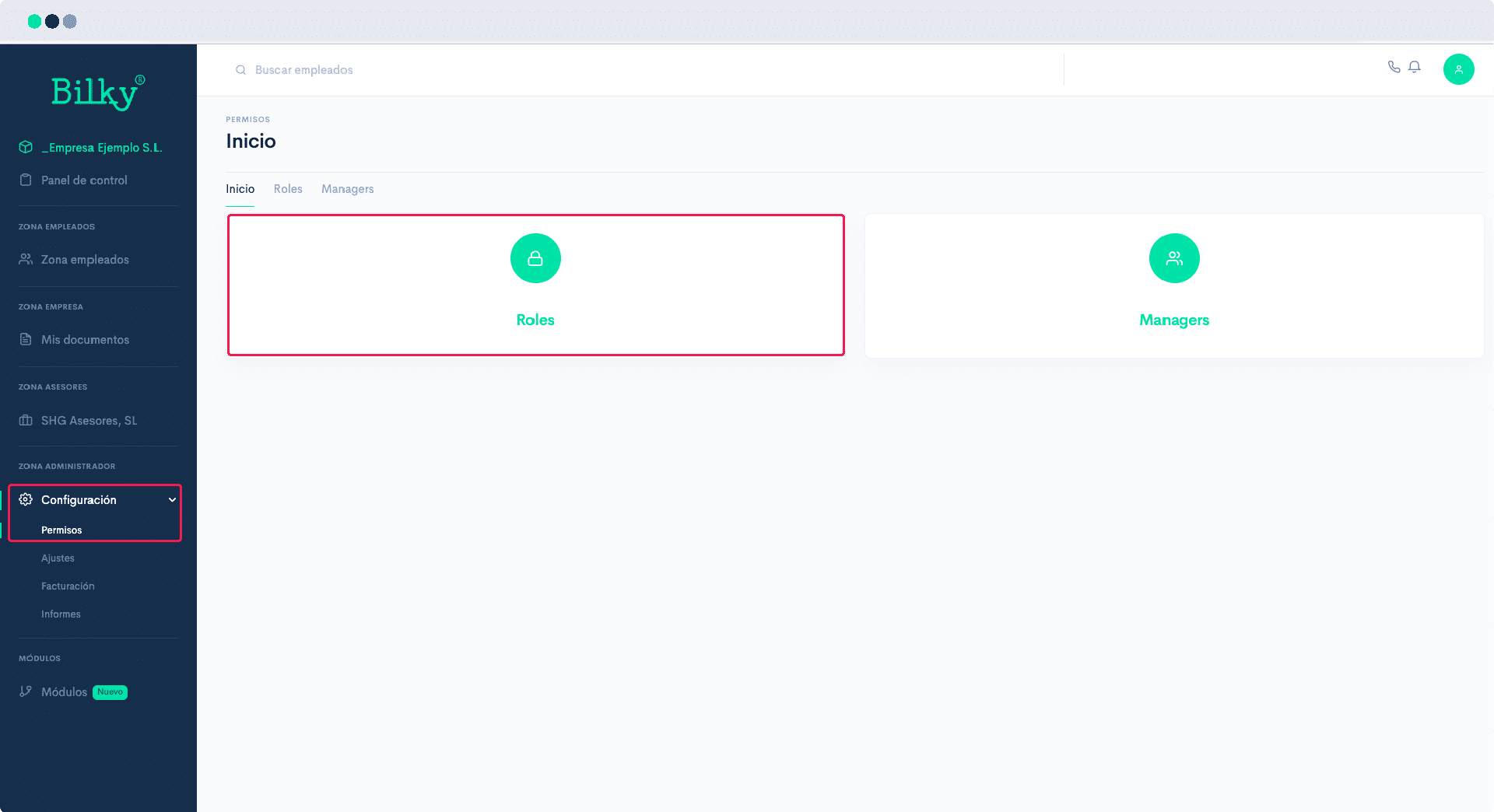
In the Control Panel of your Enterprise Portal search for the Administration Area and click on Permits. You will find the sections Roles y Manager. For the configuration of the personalized accesses of your workers we must first create the different Roles and then assign them to the different Managers.
Step 2
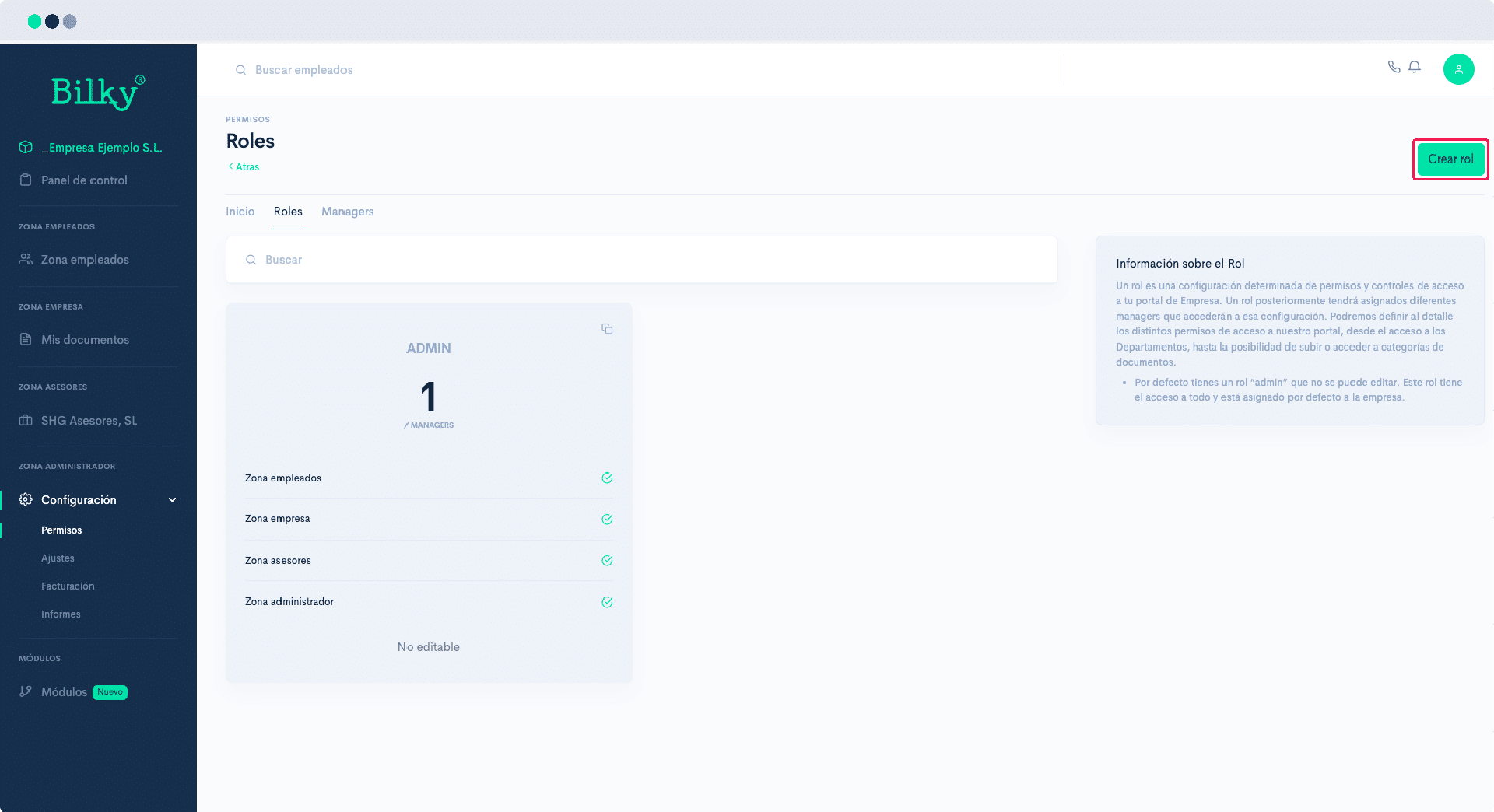
Create Roles: If we click on the option Roles and you have not previously created any, you will find that you already have a Role created, the Admin Role. This role is assigned by default to the main user (company NIF) although it can be assigned to other Managers, and has access to all the functionalities of the portal. The Admin Role cannot be edited. If we want to create a new Role with specific permissions, we must go to Create Role.
Step 3
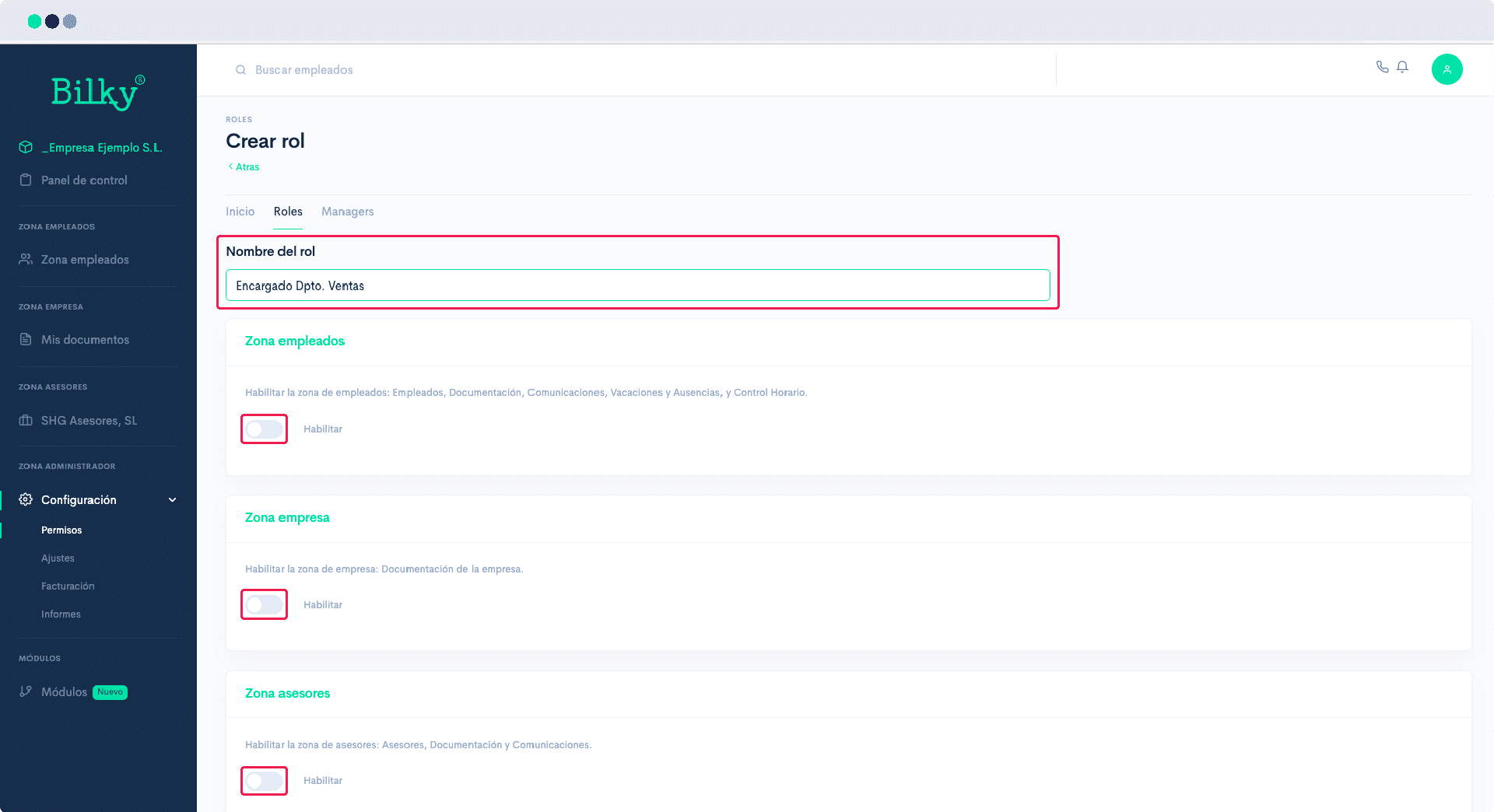
To create the Role you must start by giving it a name. Note that a Role can be used by different people, for example, Role Management Team. But you can also create a specific Role for a specific person and therefore, it will be interesting to name the Role after that person. Enable the areas and employees to whom you want to give access. and once the necessary configurations have been made click on Create.
Step 4
Create Manager: If we click on the option Managers and you have not previously created one, you will find that you already have a Manager created, it is the main user of the Company that is assigned to your NIF and whose assigned Role is Admin. To create a new Manager click on Create.

Step 5
To create a Manager, the first thing to do is to select the employee we want to designate as Manager. This employee must be registered in the company portal. Once you have indicated the worker, select which Role you want to assign him/her and indicate his/her corporate email address. You can also configure the email notification settings, where you can mark which notifications you want to receive in your email. And finally select Activate if you want the Manager to already have active access. Once the configuration is done, click on Create.

Step 6
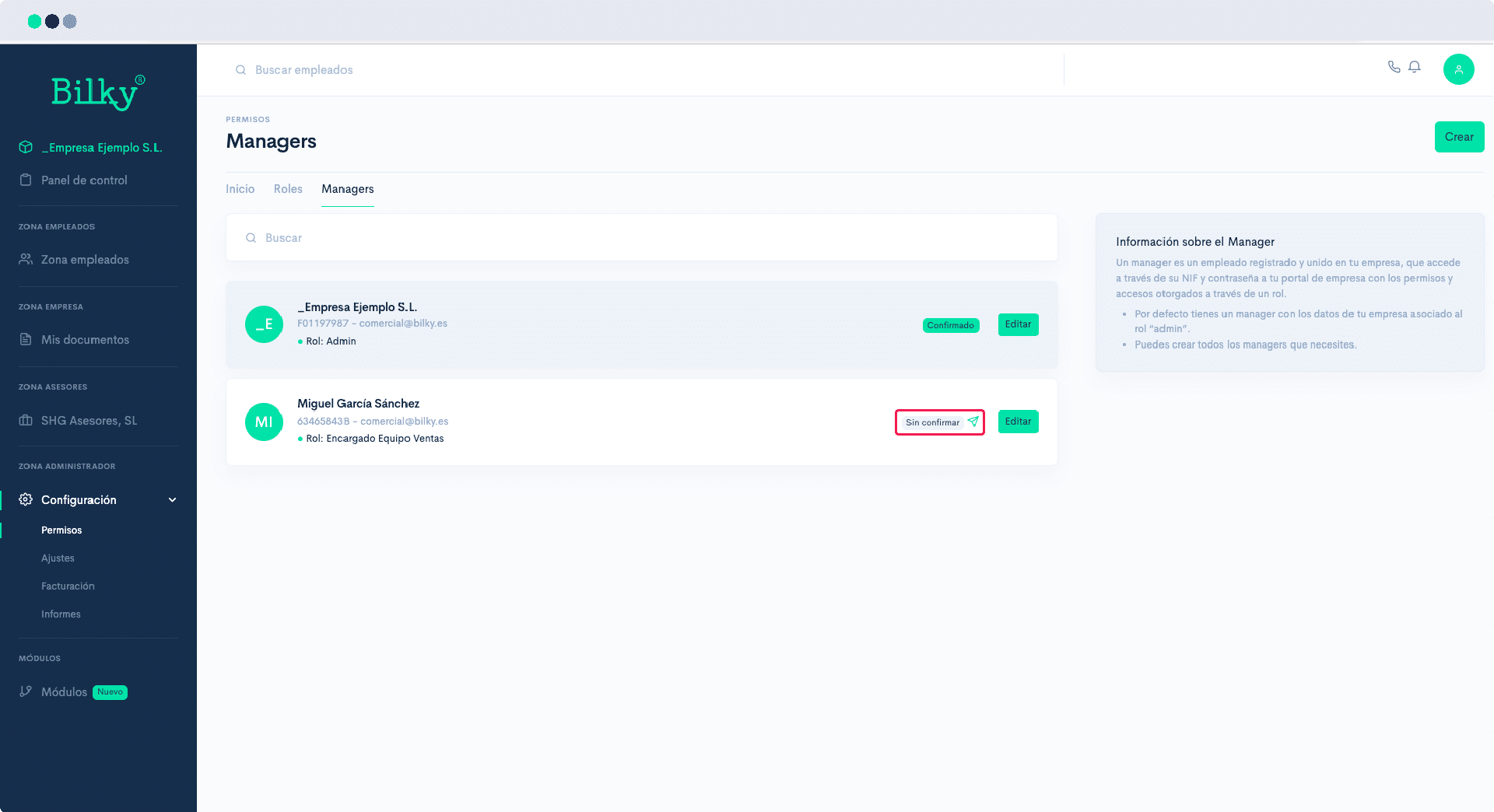
Once the Role has been assigned to a Manager, we will send him/her an email to confirm his/her account. You can check the confirmation status in the Managers tab. When confirmed, the employee will have already created his own access in his Employee Portal.
Step 7
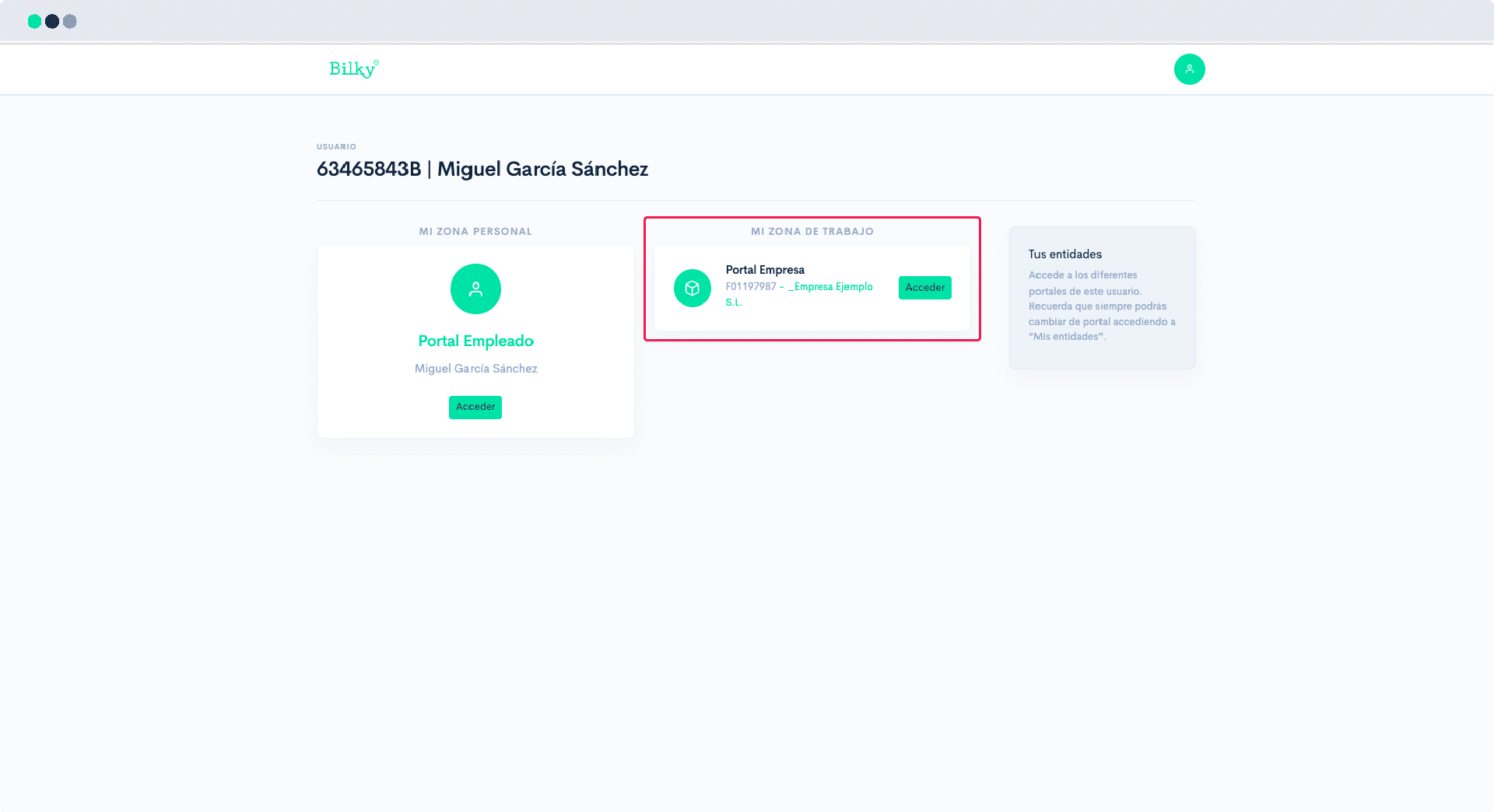
Each Manager already has an Employee Portal associated to his NIF. When we enable you as a Manager, we are creating a double access from that same portal. You will be able to access your employee portal, but also your Work area within the company.