My employee is not registered, how can I send him/her the registration invitation email?


In order to give access to the portal to your employee, he/she must register his/her Employee Portal through an email that you send him/her from the Company Portal. This email can be sent in bulk to all employees who are not connected, or individually. We show you how to do it:
Step 1
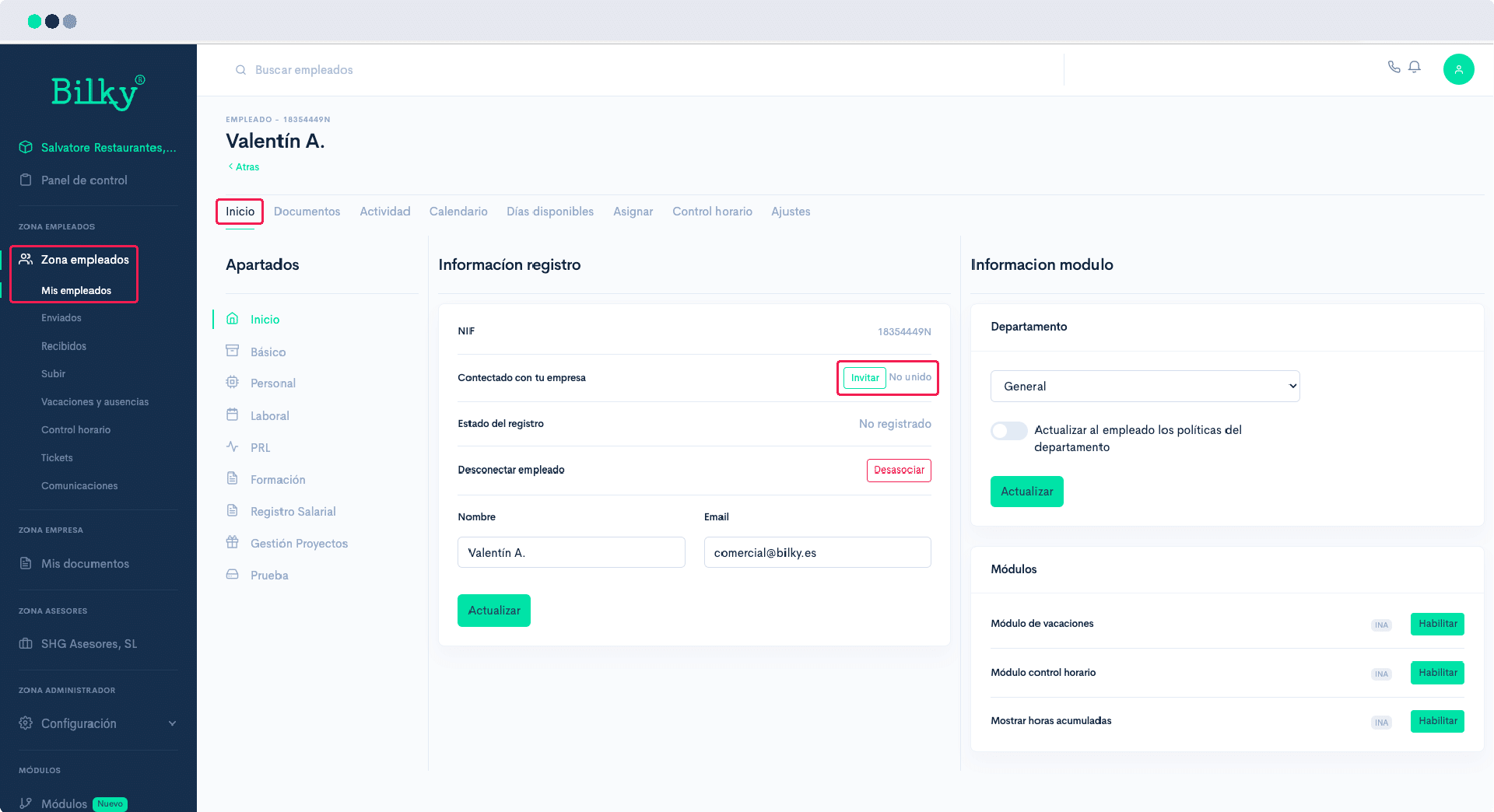
Send a registration email to all your employees No Connection: From the Employee Zone, section, paragraph My employees From your portal you can send a mass invitation email to all the workers who are not connected. They will receive an email through which they will register their own user name (NIF) and password, and will connect with you.
Step 2
Send a registration email to a specific employee No connection: From the Employee Zone, section, paragraph My Employees of your portal, mark the filter Disconnected employees and search for the specific employee to whom you want to send the invitation email and enter his or her profile. In the Home you will find the possibility of Invite the employee.