How can I configure my customer's customers and suppliers (prefixes)?

For correct use of the Connector Module is absolutely
it is essential that you configure your customer's PGC and his customer and supplier file (prefixes).. This configuration can be done massively through Excel files. We show you how to do it.
Step 1
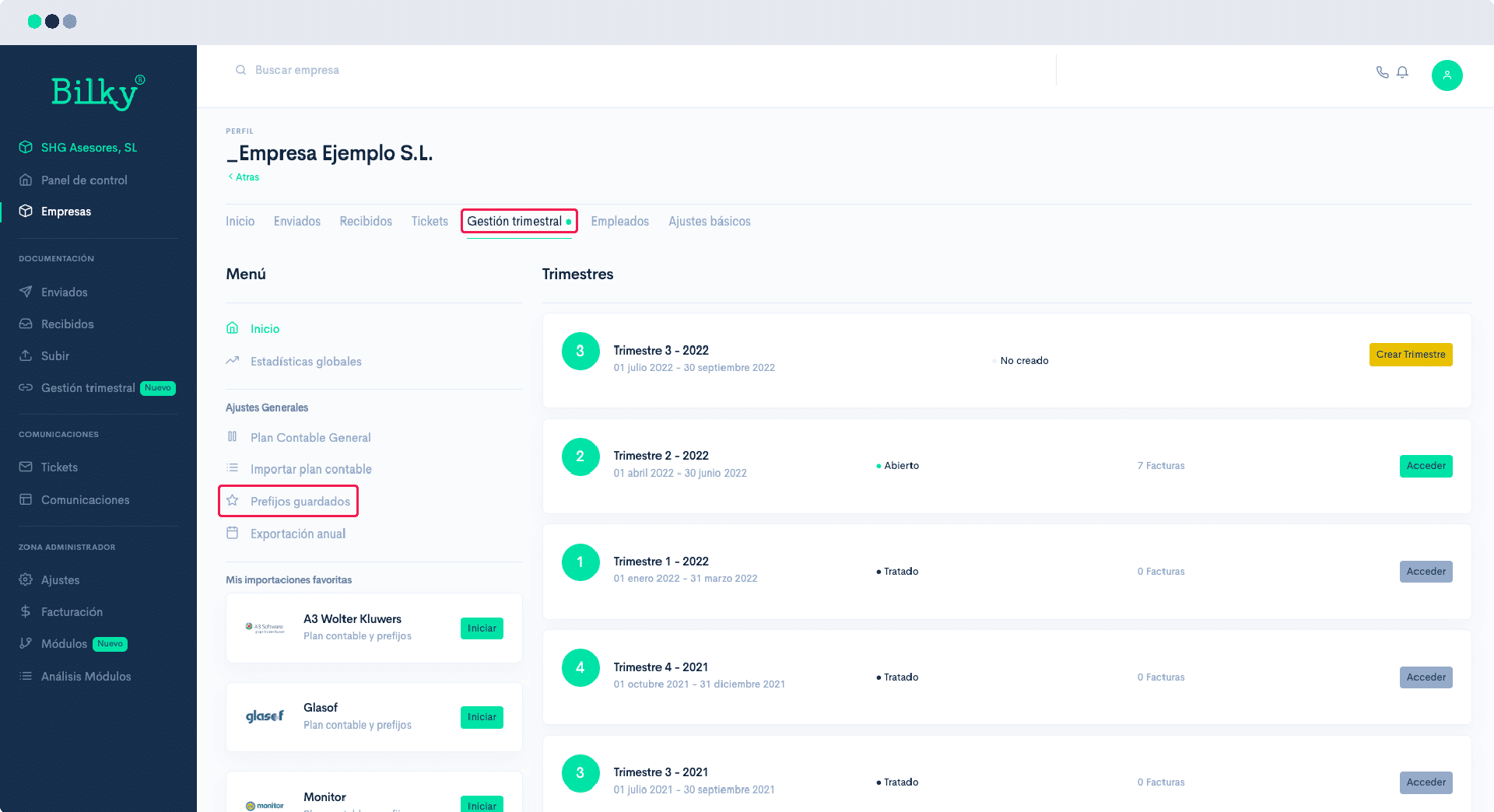
Go to your customer's profile and then to the section of 'Accounting Management'. In the Menu you will find the 'General Settings', and among them the option 'Saved prefixes'.'.
Step 2
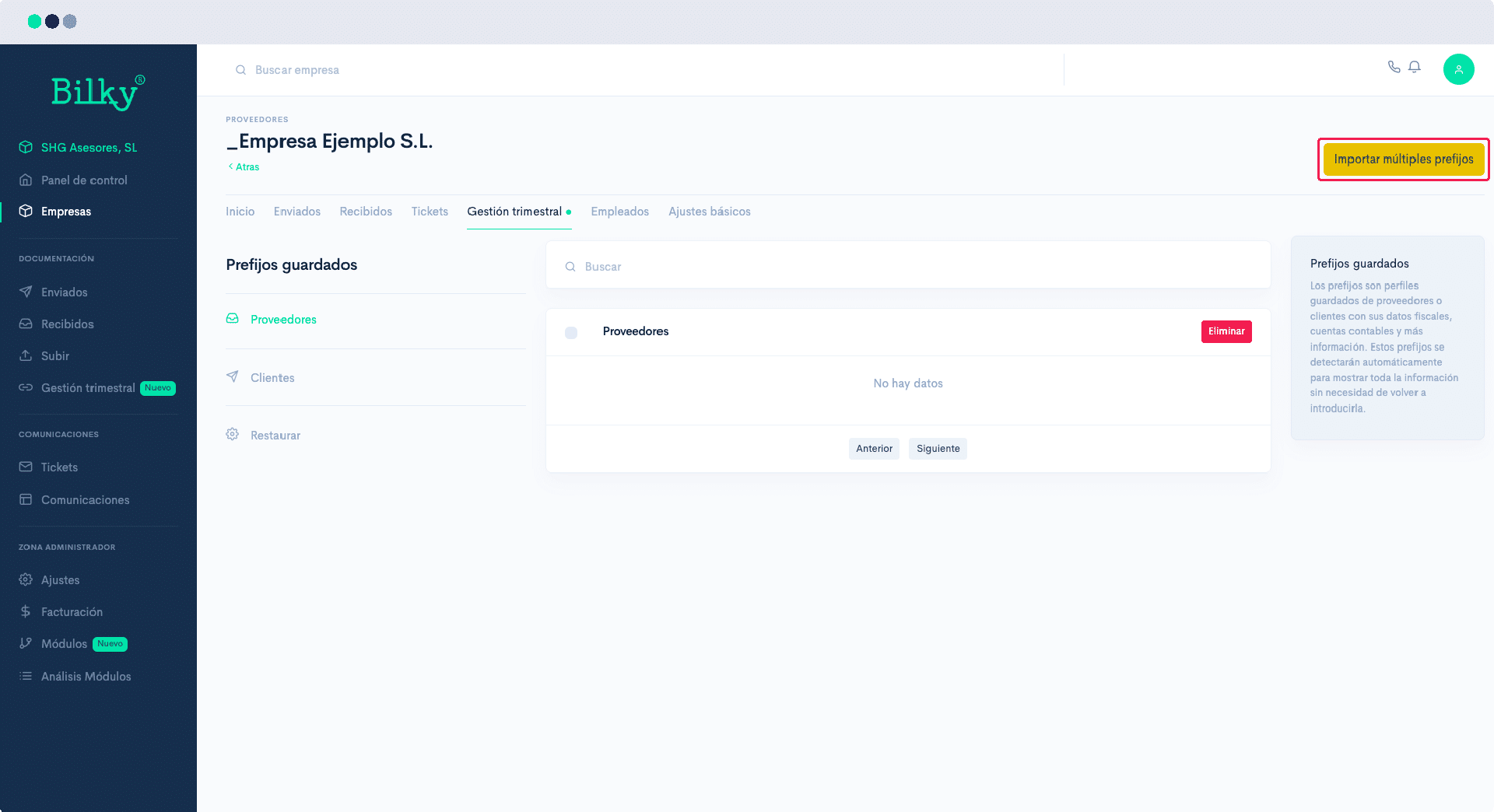
In the upper right corner click on Import multiple prefixes.
Step 3
Previously, download from your accounting software an Excel file with the information of your customers and suppliers.
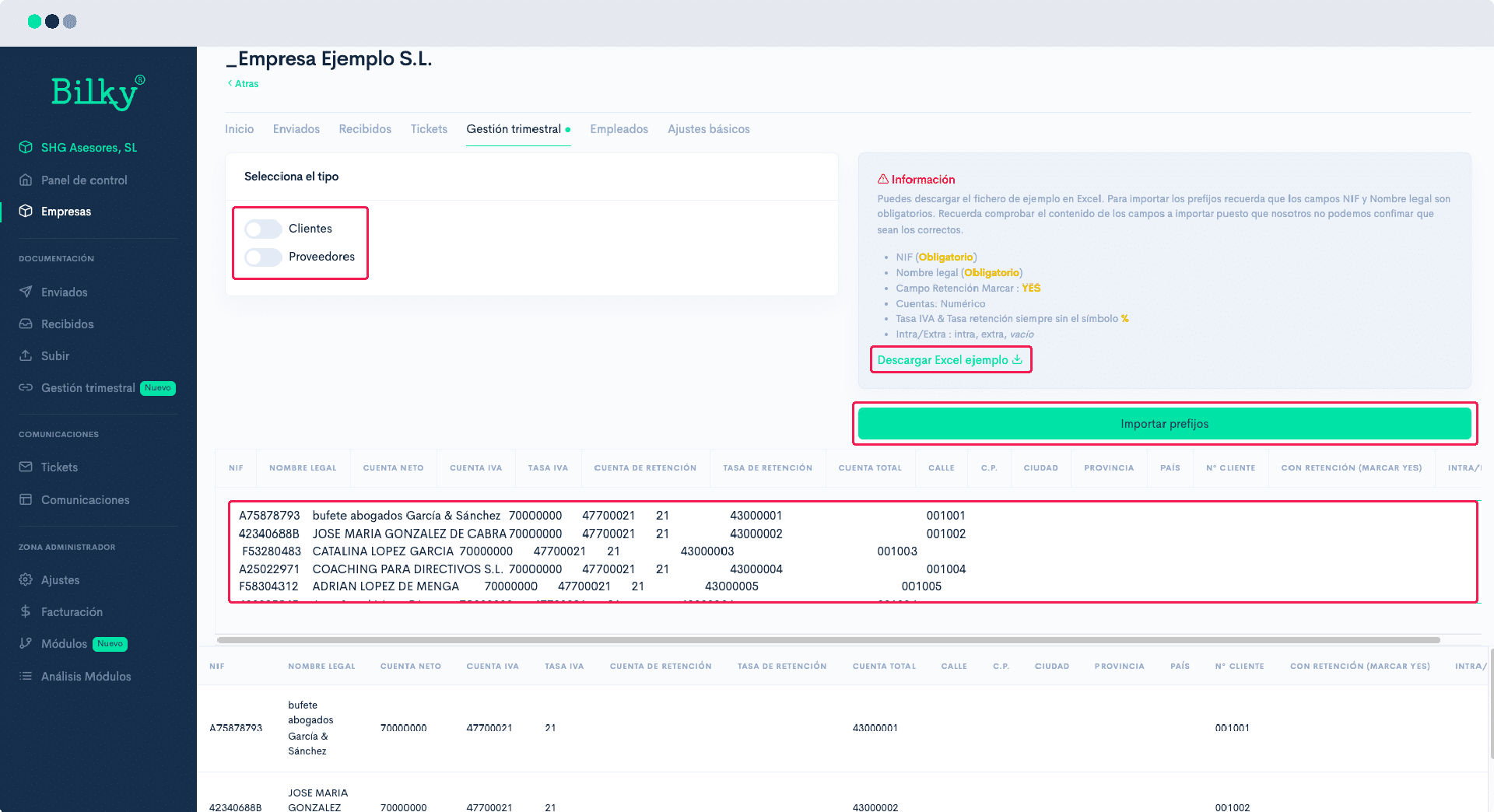
It is mandatory that it contains your NIF and legal name., but we recommend you to import all the fields. You can ‘Download a sample Excel file’ with all the necessary information right on this screen, and complete this data before importing.
With Excel open, copy the data and paste it in the box provided, marking if they are ‘Customers’ or ‘Suppliers’ in each case. Click on ‘Import prefixes’.
Step 4
The data of your Customers or Suppliers will have been imported.
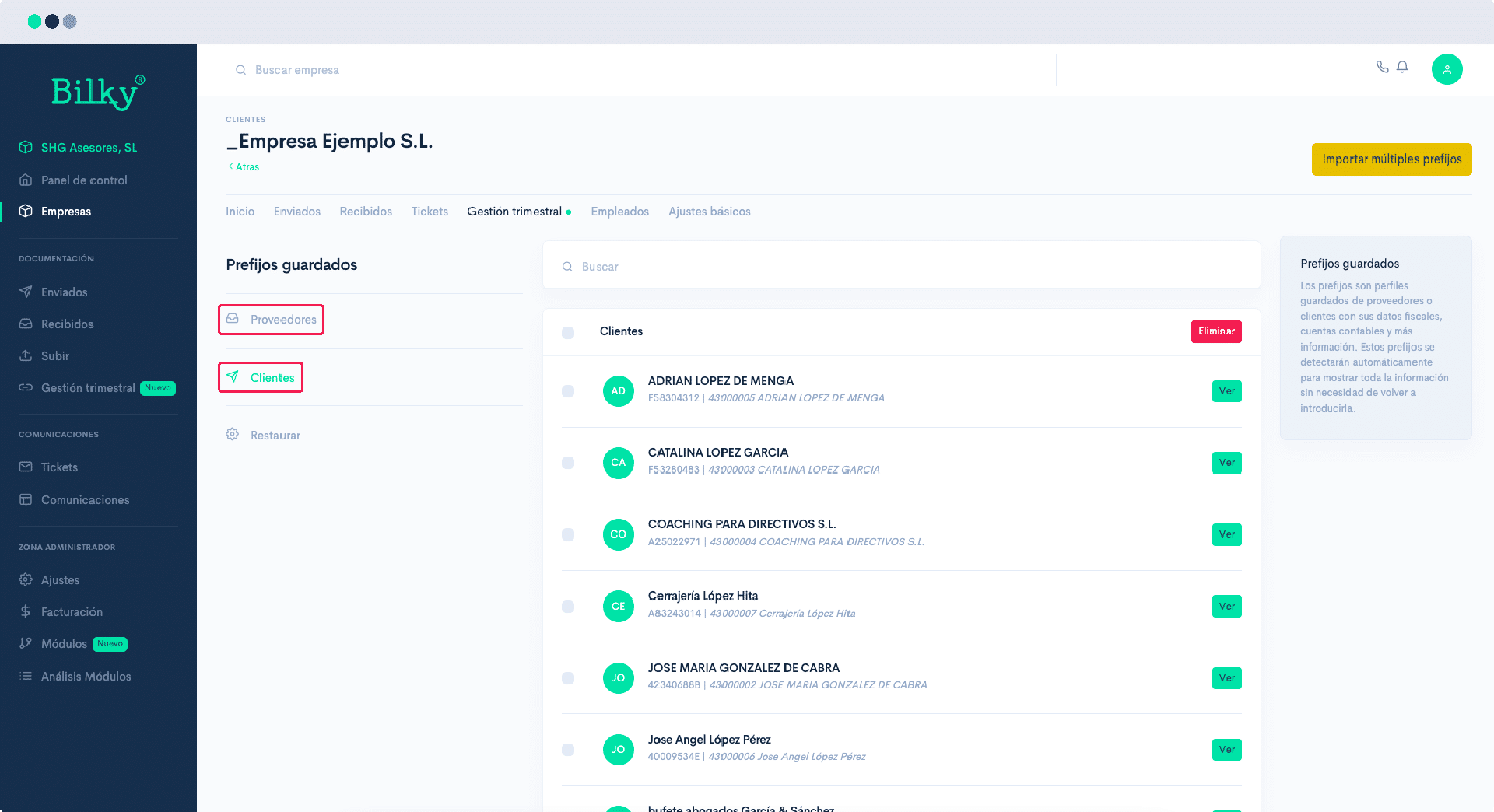
Step 5
You can also import prefixes common to several clients.
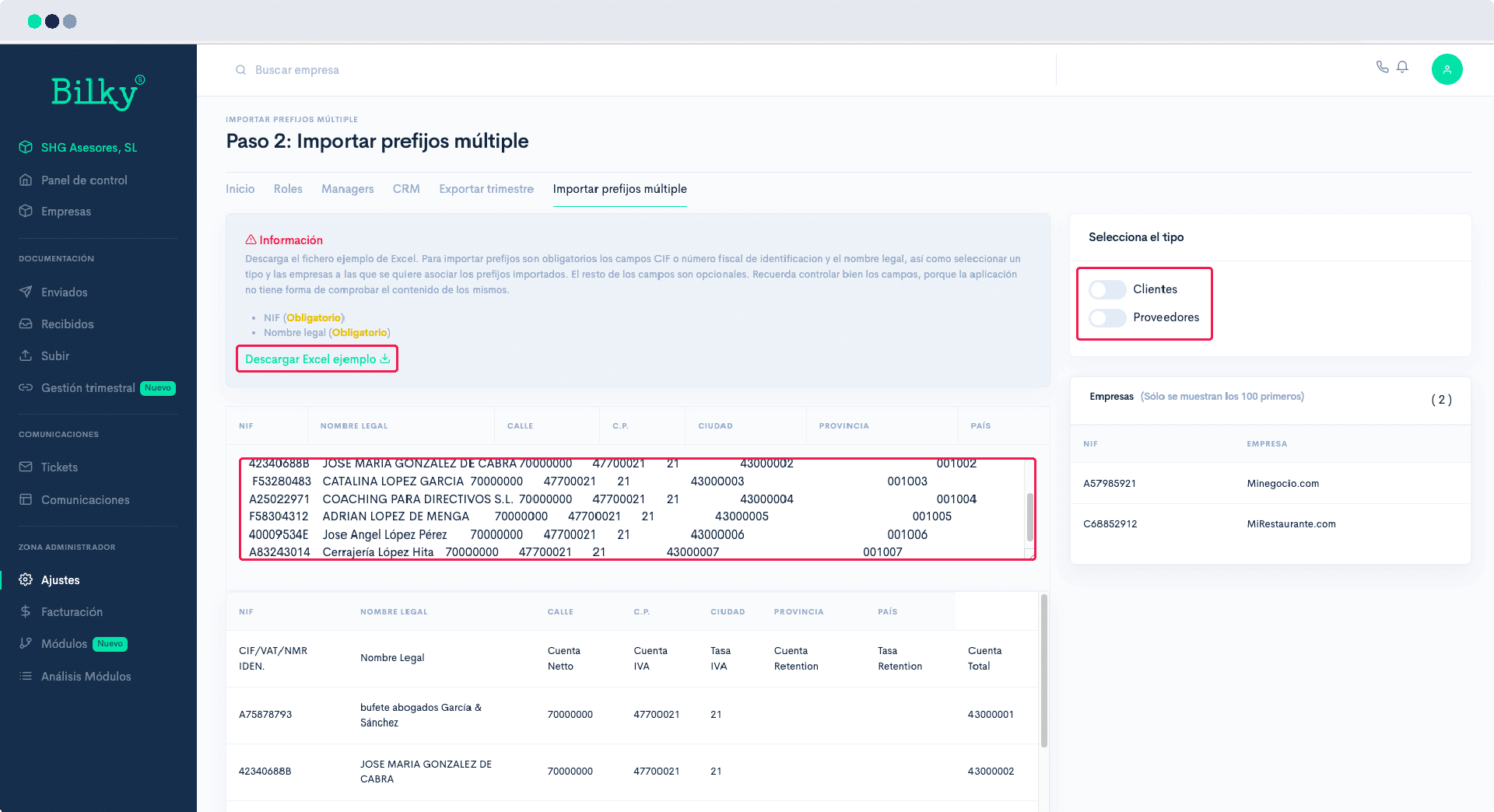
If you have customers or suppliers common to several of your companies and they are associated to the same subaccounts, go to the ‘Administrator Zone’ and click on ‘Settings’. Within the ‘Connector Settings’ you will find the option ‘Import multiple prefixes’‘.
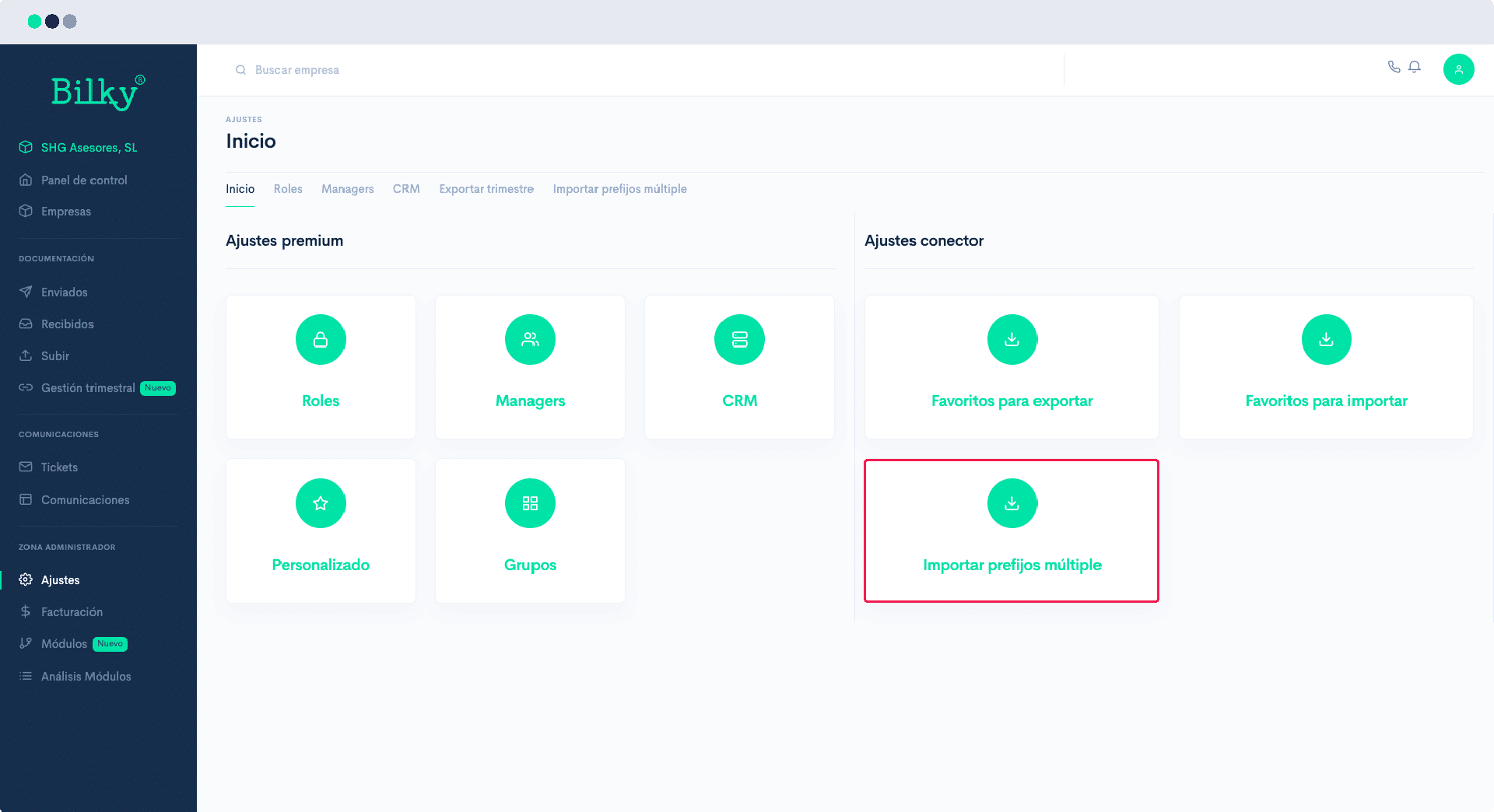
Step 6
Select whether the prefixes to be imported are common to all companies, to a group of companies (which you will have created previously), if it is common to self-employed or companies, or select one by one. Then click on ‘Next’.

Step 7
Previously, it generates an Excel file with the information of the customers and suppliers common to these companies. It is mandatory containing your Tax ID and Legal name, but we recommend you to import all the fields. You can ‘Download a sample Excel file’ with all the necessary information right on this screen, and complete this data before importing.
With Excel open, copy the data and paste it in the box provided, marking if they are ‘Clients’ o ‘Suppliers’ in each case. Click on import prefixes. The Customers and Suppliers data will have been imported in each of the selected companies.