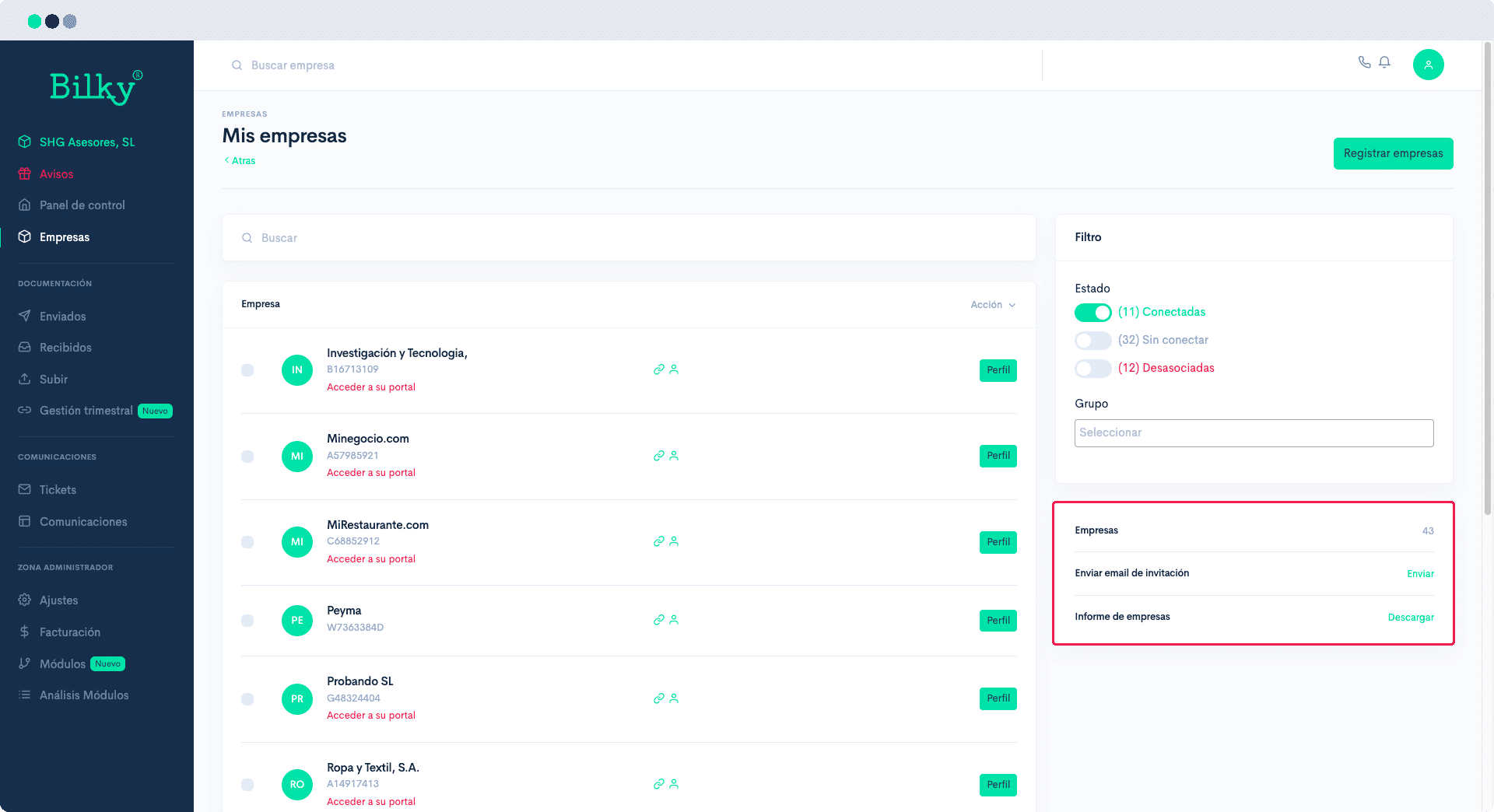
How do I register my customers?

Registering your customers is very easy. All you need is their NIF, name and email address. When you register them they will automatically receive an email to activate their portal for free, which will be connected to yours. Here's how to do it:
Step 1
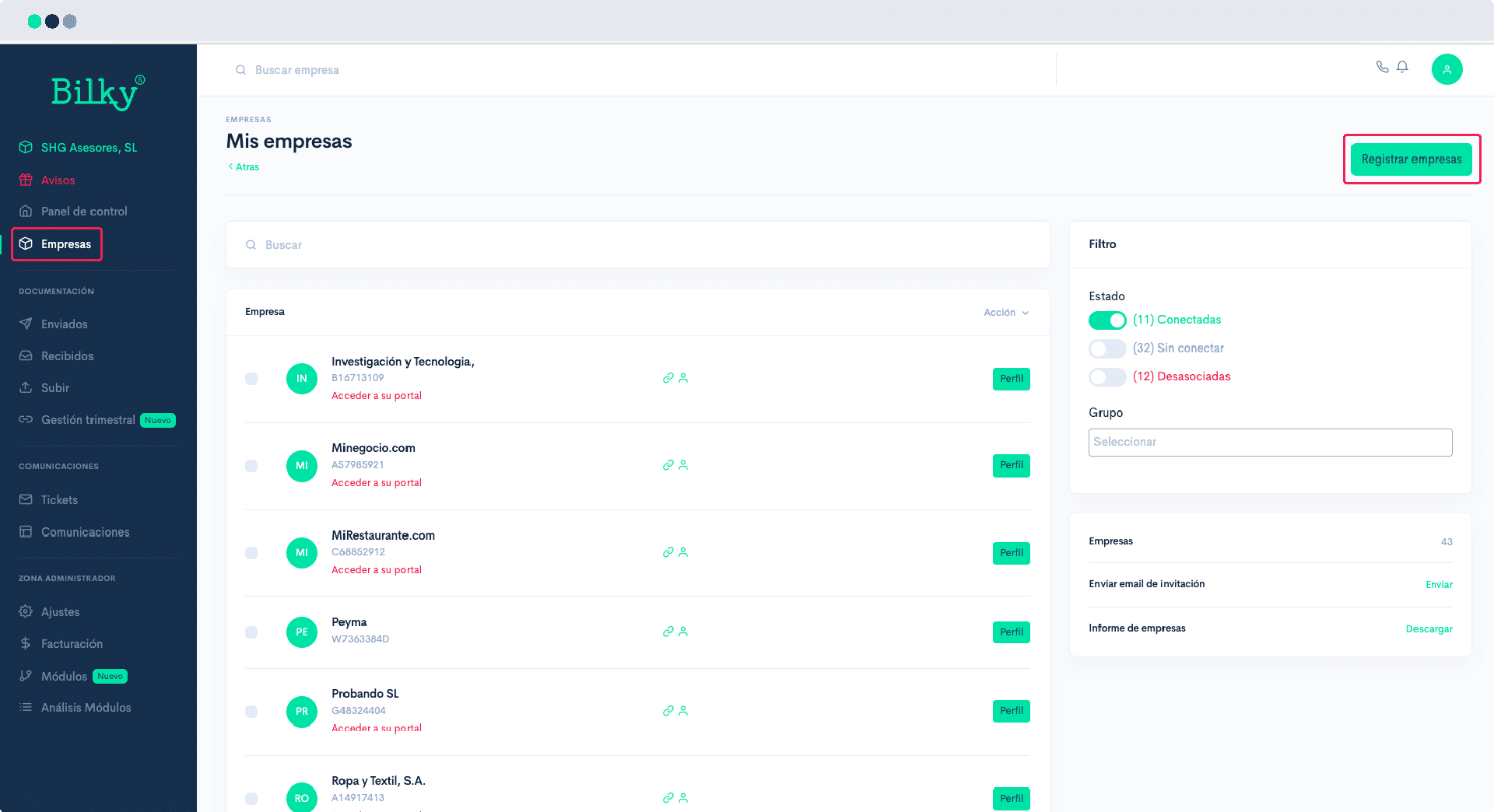
Access your ‘Advisory Portal’ and in the control panel go to the section ‘Companies’. In the upper right corner click the button ‘Register companies.
Step 2
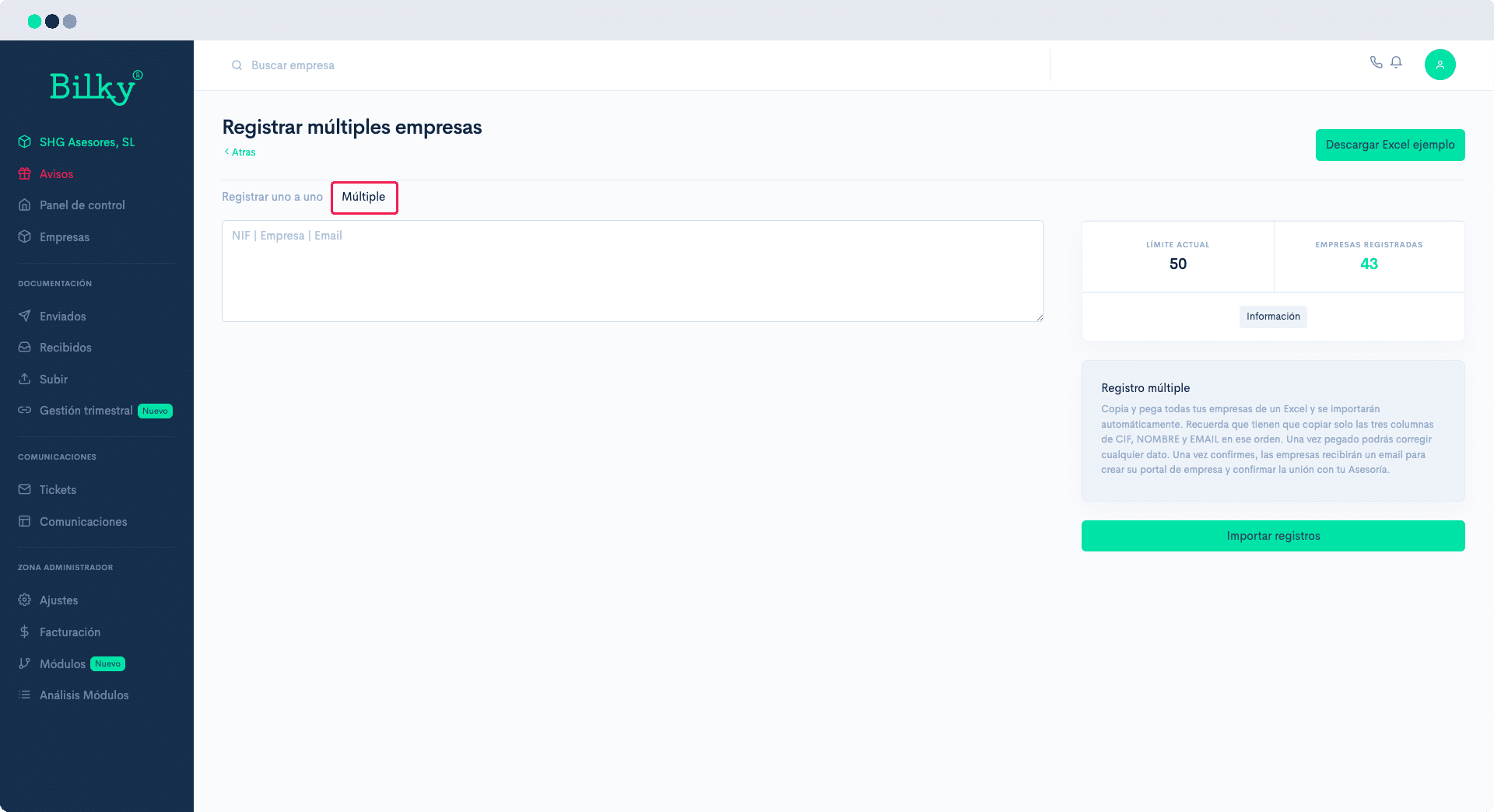
Register your clients one by one or multiple clients. You will only need their NIF, Name and Email.

Step 3
If you make a multiple registration, you must put in an excel file and in that order the NIF, Name and Email of your customers. In the upper right corner you can download an example excel file. Check that the NIFs do not have any hyphen or separation. The emails must be valid (contain @, .es, .com, etc...) With the Excel open, select all the data, copy and paste them in the import table. Click on ‘Import Records’.
Step 4
Whenever you register a customer, an email will immediately be sent to them to register and connect with you. If you want to check if your customer is already registered, or you want to resend the registration email, go back to the main company screen and in the right panel you will find the different options.