When I automatically manage my customer invoices it does not detect the invoice number.

The invoice number is the most difficult field for OCR technology to detect. Since it is a numeric field, it is easy for the technology to interpret it as an amount or a part of a postal code, for example. However, if the invoice number is alphanumeric, it is more likely that the software will learn to detect it by creating patterns thanks to its artificial intelligence. These patterns are automatically generated on incoming invoices. You will only have to enter the invoice number three times on three different invoices manually, and the software will set a pattern that will automatically interpret the invoice number on subsequent invoices from that company. In the case of outgoing invoices, we recommend that you set up this help in your customer's settings. We show you how to do this:
Step 1
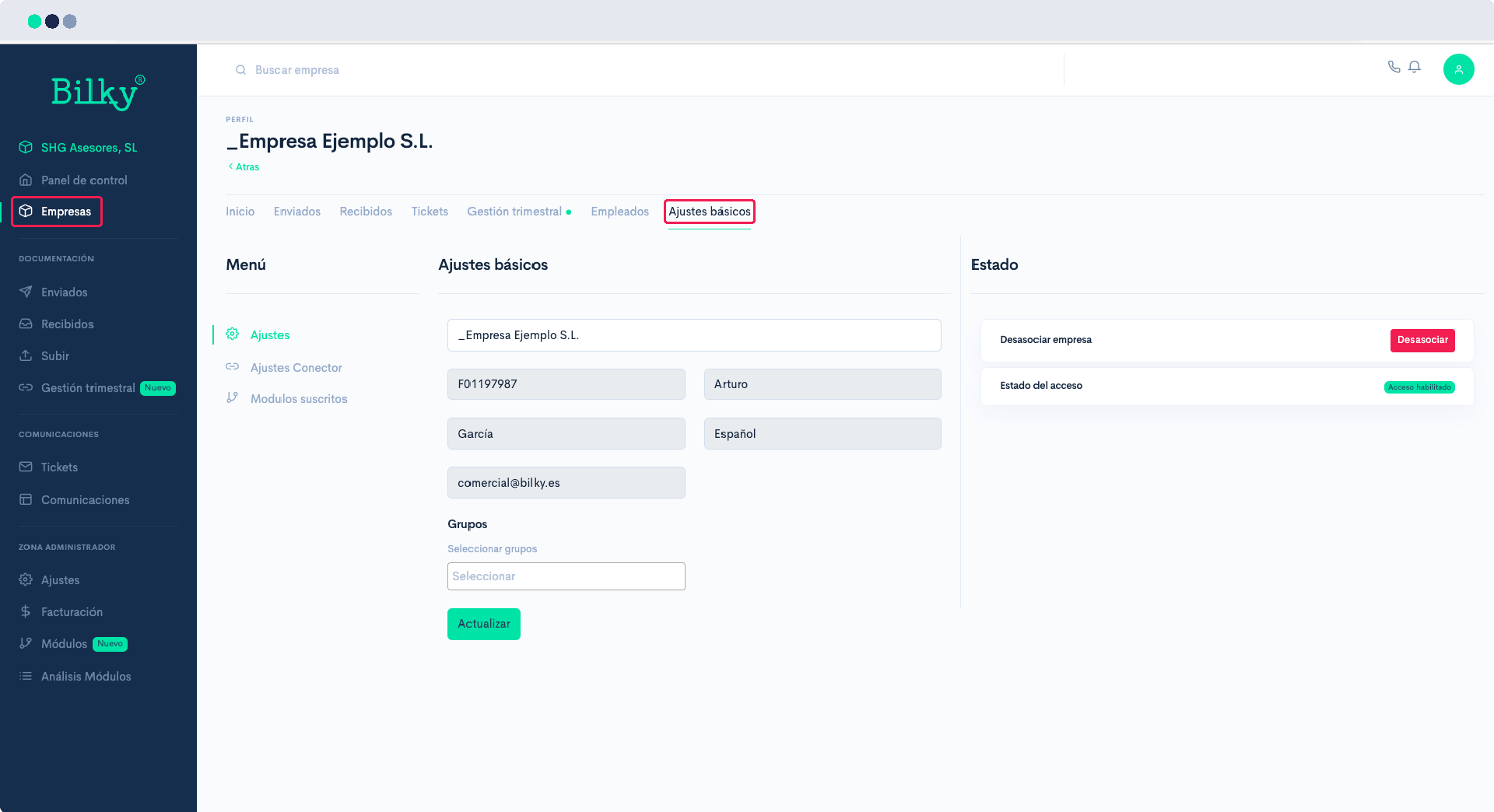
Go to your customer's profile, in the section of Basic Settings.
Step 2
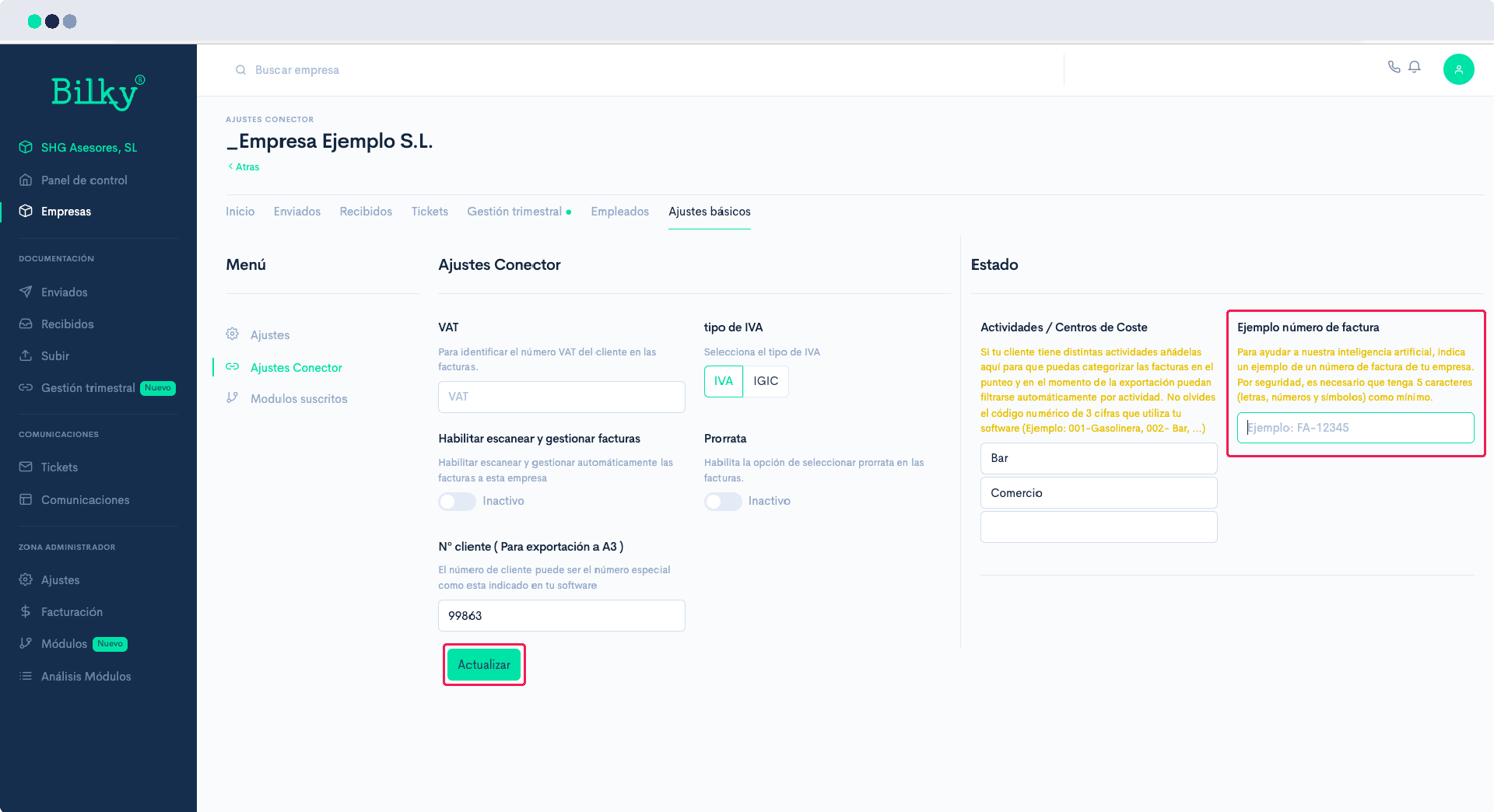
Within the basic settings you will find the Settings from Connector Module. In the State, you have the option Example invoice number. If the invoice number on your customer's invoices is alphanumeric, e.g. FA-12345, 2022/12345, 22-A012, etc... add the example here, and click on Update. This example will be set as a pattern, and in the following invoices received from your customer, the invoice number will be read correctly.