When I register a worker it tells me that I have reached the limit, what can I do?


Depending on the Business Plan you have subscribed to with Bilky, you have the service for a certain number of employees. If you need to increase the number of employees to whom you want to offer the portal with you, you can extend it by contracting an Extra Employees Module. We show you how to do it:
Step 1
To check what your employee limit is, you must access your Company Portal, to the Employee zone and in the section My Employees, click on Register employee.
Step 2
On the right side of the Employee Registration screen you will find a table showing your employee limit and the number of employees you have registered. If you have reached the limit and want to register more employees, click on Information.

Step 3
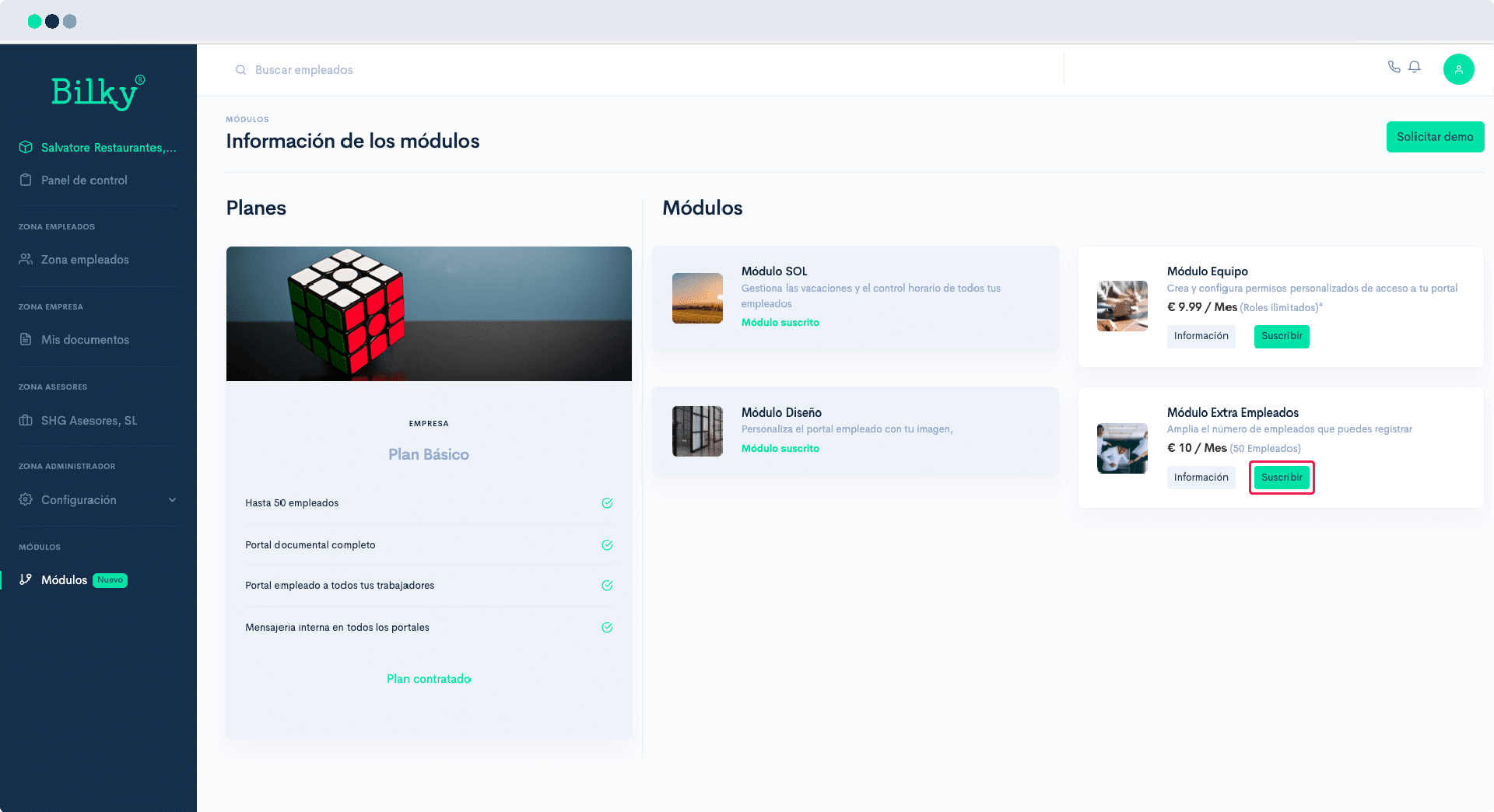
You will arrive at the Information screen. Modules, where you can see what modules you have subscribed to, as well as subscribe to Extra Employees Module.
Step 4
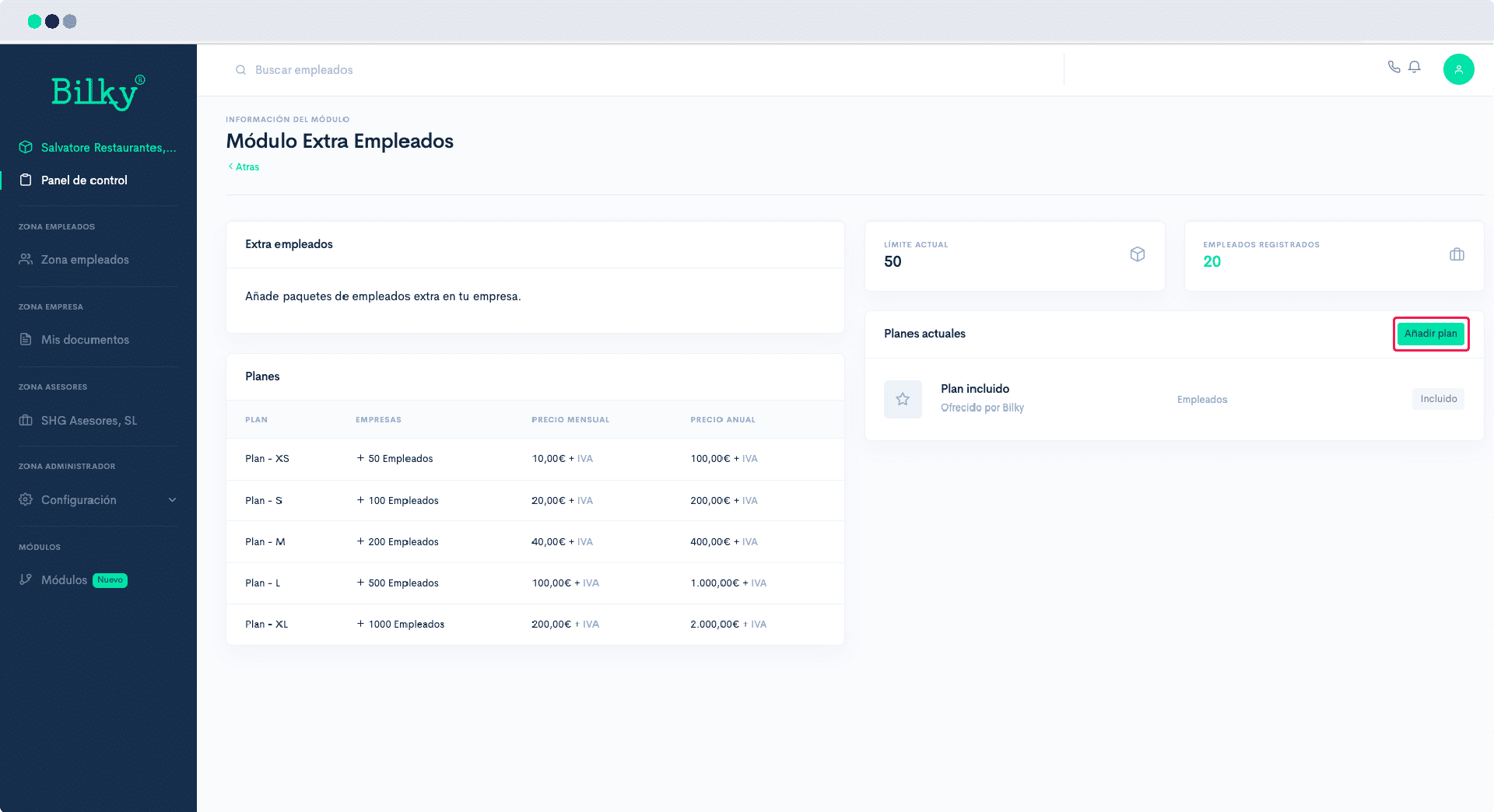
From this screen you can add as many Extra Employee Plans as you need. Just click on Add, select the desired plan and subscribe to it. You will immediately have the employee extension available on your portal.