Where do I define my accounting software?

The Connector Module is compatible with all accounting software. For exporting Bilky to your trusted accounting software, you need to check if your software is predefined in Bilky. If it is not, please contact us to tell us which software you use and we will take care of the integration. For the import of your software into Bilky you can check if it is configured, but if not, search for «How to import chart of accounts and prefixes».» in the help center and we will tell you how to import. We show you how to do it:
Step 1
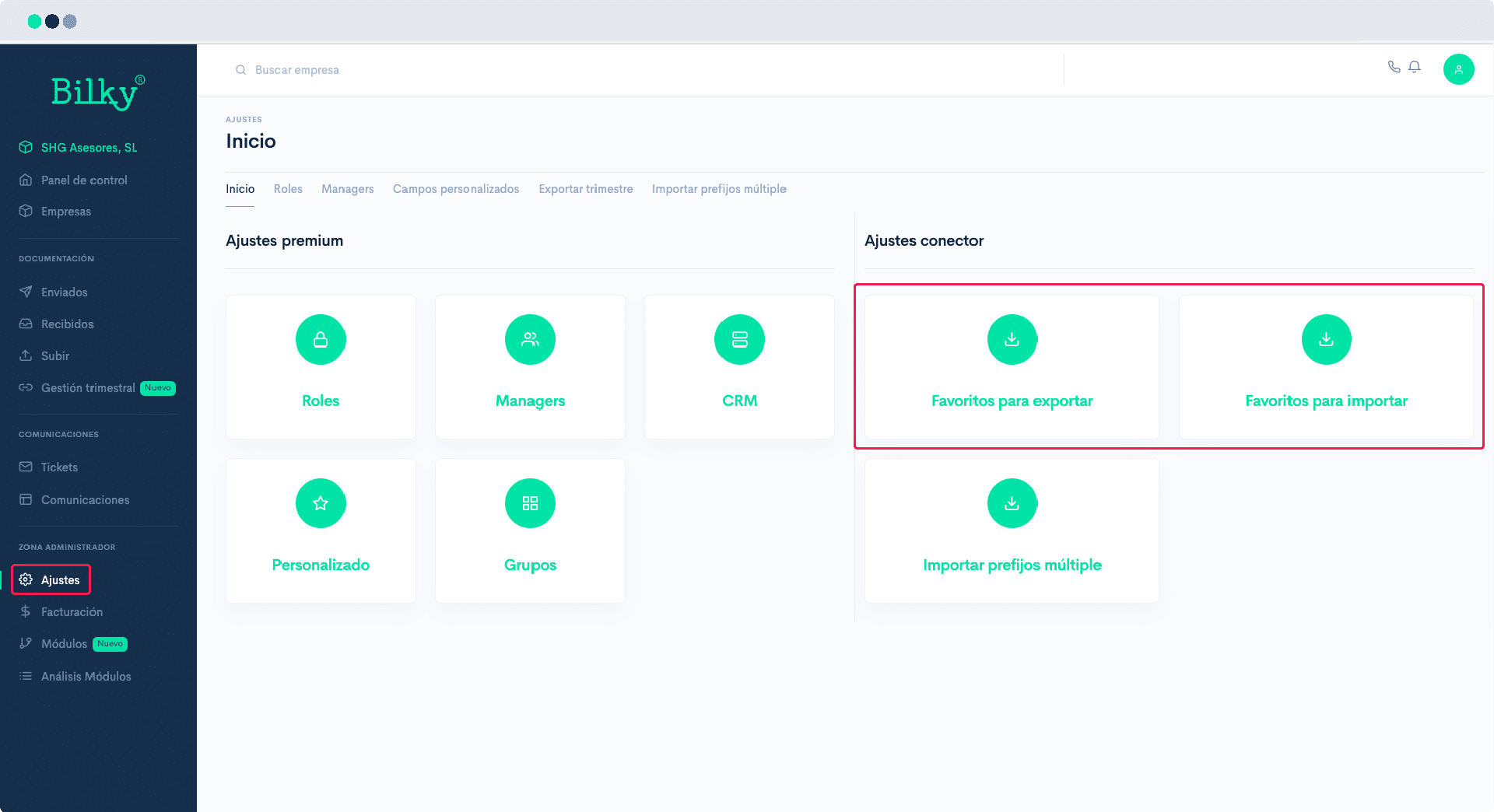
In the control panel of your Advisor Portal seeks the Administration Zone and click on Settings. You will be able to see the screen with the different types of Settings that your portal allows, among which you will find the following ones ‘Connector Settings’. Under Connector Settings you will see the Software Export Favorites and Favorites for Import. Enter both sections to define which software you trust.
Step 2
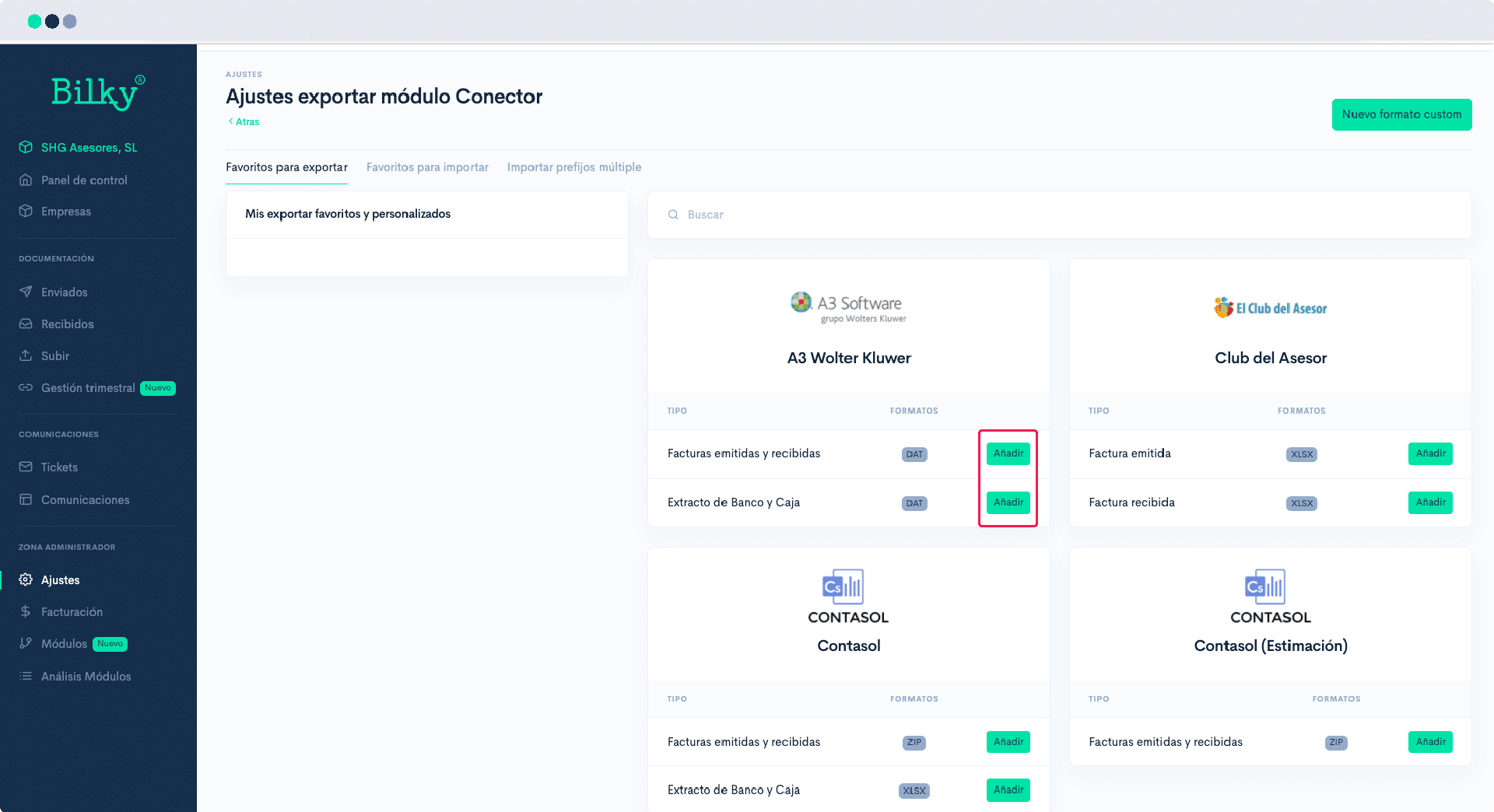
You will find a list of accounting software and their corresponding export and import files. Simply click on ‘Add’ in the one you want to use.
You can add as many import and export files as you wish, so if you use different accounting software, for example one for companies and another for freelancers, you can set both as favorites.