How can I set up my own Bilky Export file to export invoice, bank or cash data to my accounting software?


The Connector Module is compatible with all accounting software. At Bilky we have preconfigured many of them so you don't have to do anything. To check if we have already configured yours, search in the Help Center for «Where do I define my accounting software?» and follow the steps. But if you want to create your own format, you can too. We show you how to do it:
Step 1
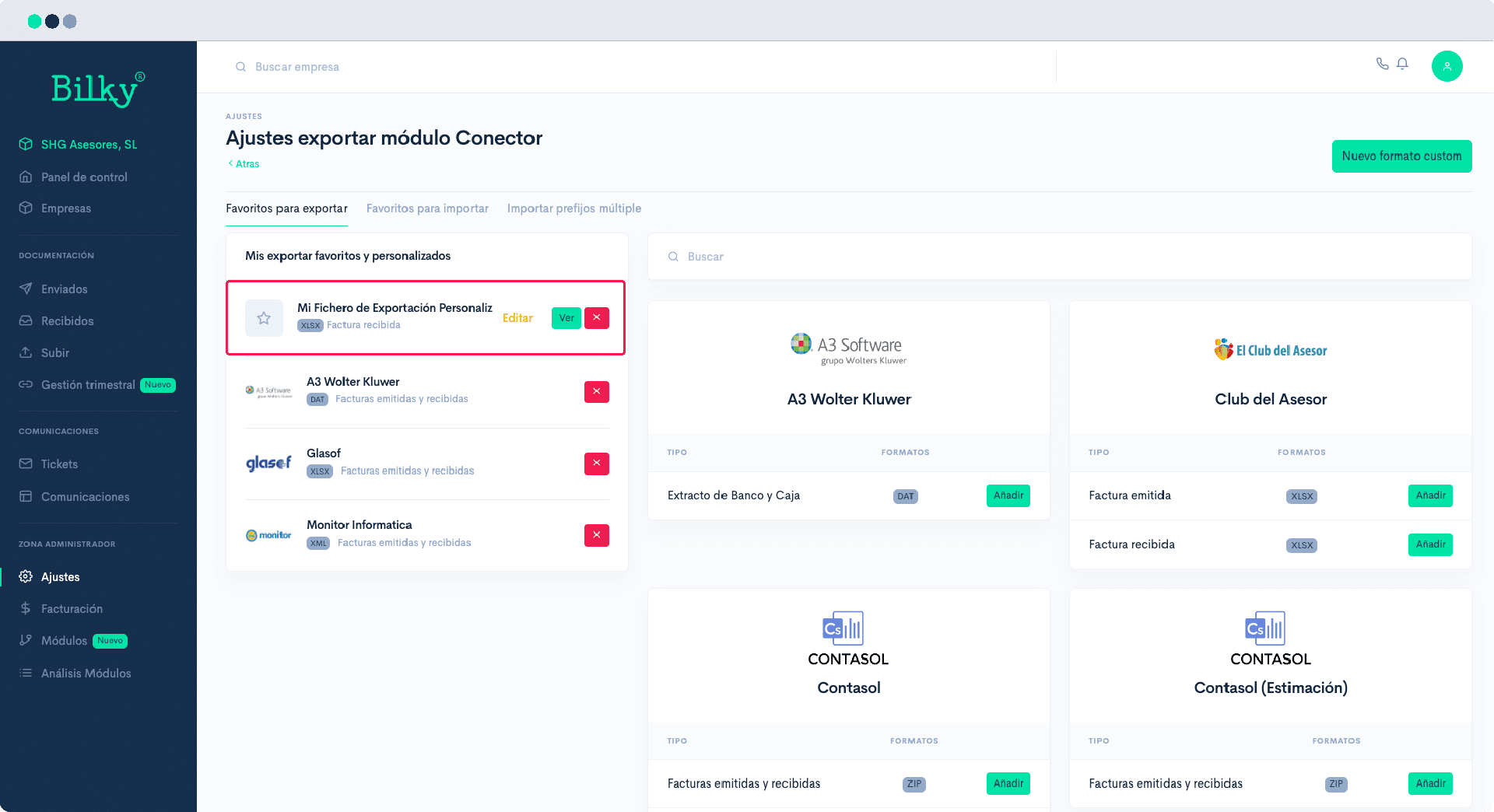
In the control panel of your Advisor Portal seeks the Administration Zone and click on ‘Settings’. You will be able to see the screen with the different types of settings that your portal allows, among which you will find the following ‘Connector Settings’, In this section you will be able to see the software Export Favorites.
Step 2
In this screen you will find all the software that we have preconfigured, but to create your own format you must click on ‘New Custom Format’.

Step 3
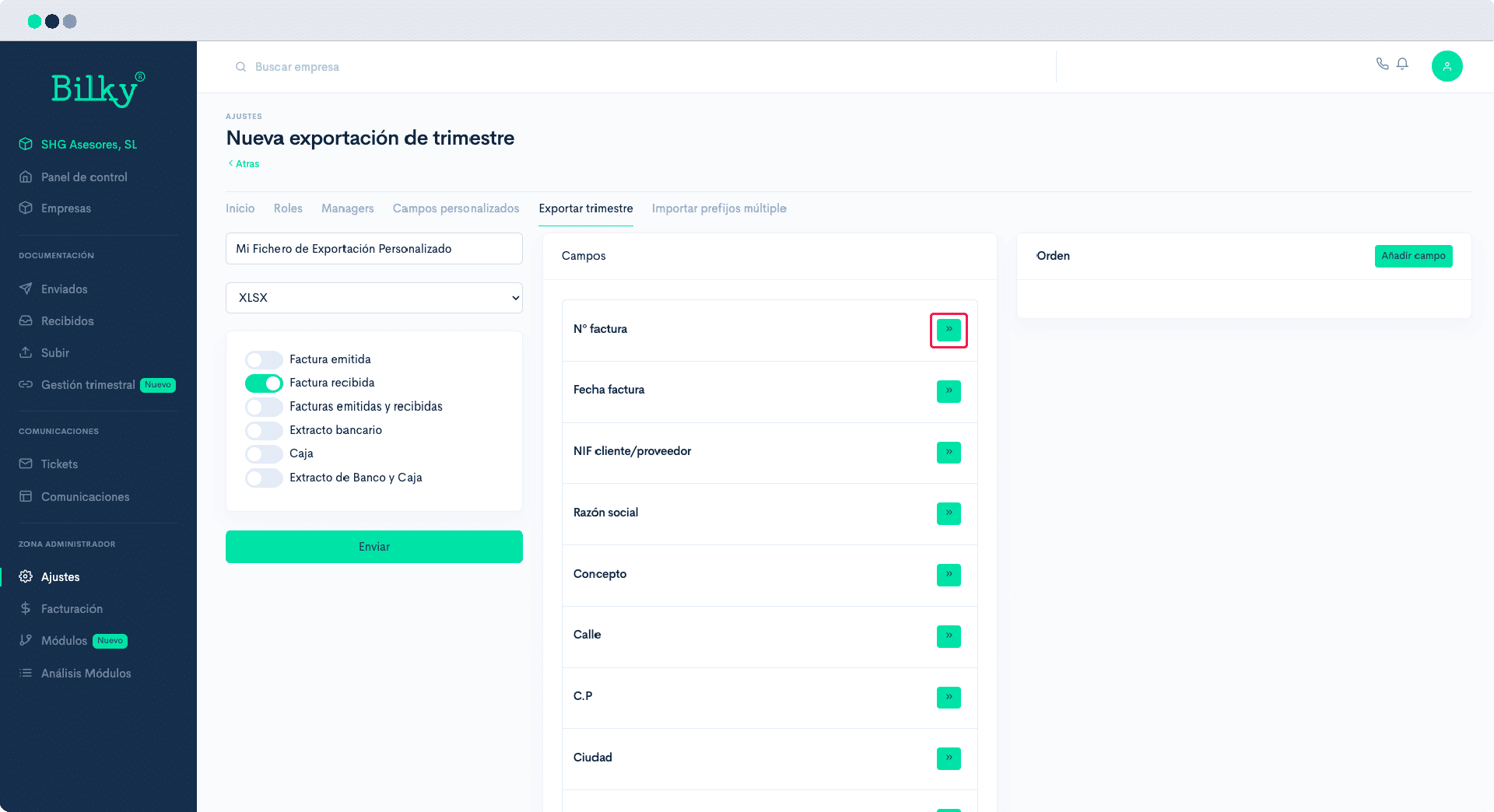
To start creating your own Export file, give it a name and identify what type of format you want to generate.

Step 4
Check what you want to export in that format. When you do so, we will show you all the available fields in the middle column. ‘Fields’. Just select which ones you want to export by clicking on the arrows pointing to the right.
Step 5
Once you have selected the fields you need to export you can sort them by clicking and dragging them or by using the up and down arrows. If you want to add a new field that does not exist in Bilky, click on Add field and create it.

Step 6
When you have defined the file the way you want it, click on ‘Send’, and will be added to the favorite formats for exporting. You can edit it whenever you need to.