
How to create a shortcut to Bilky on Android?
Discover how to add Bilky to your Android mobile's home screen for faster access to the platform.


Introduction
If you use Bilky from an Android device, you can create a shortcut on your home screen to access the platform more quickly and conveniently. Although Bilky works from the browser and does not require installation, this shortcut will allow you to open your portal with a single tap.
How to create a shortcut to Bilky on Android?
Bilky allows you to create a shortcut on your Android device's home screen for faster access to the platform.
Step 1 – Access the Bilky website from your browser
Open the phone's browser and access:
Management Software for consulting firms, companies and freelancers
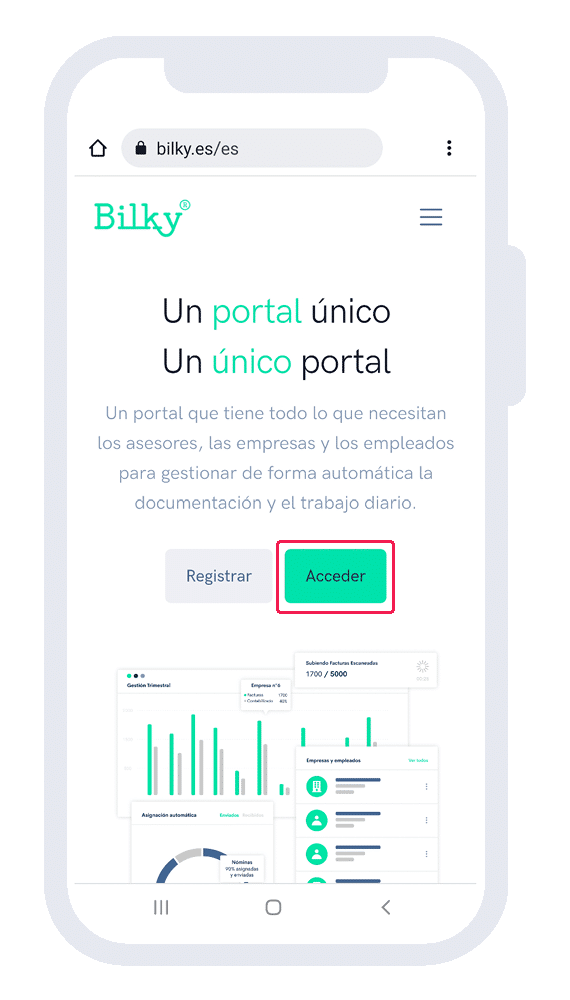
Step 2 – Go to the portal access page
Within Bilky click on ‘Access’.’.
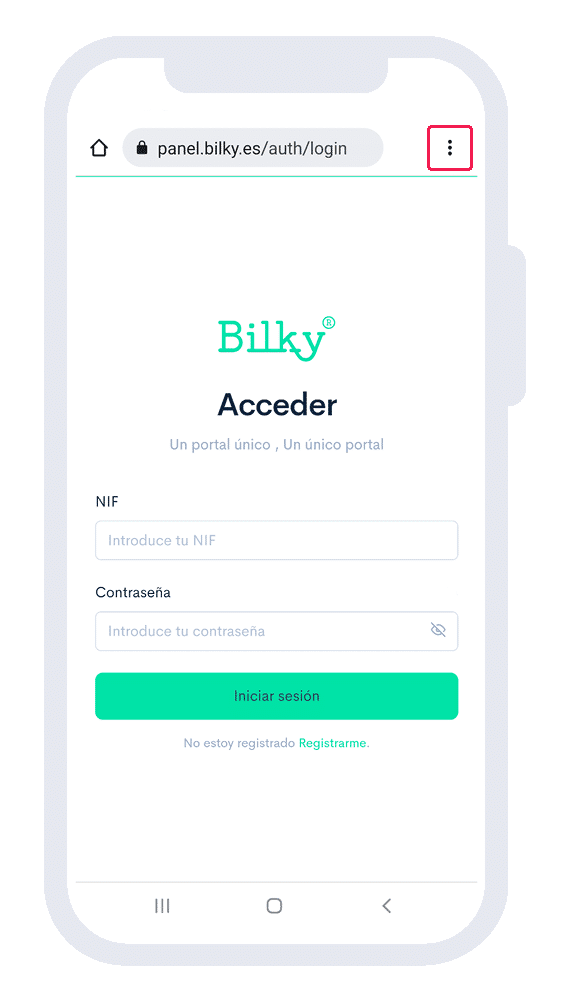
Step 3 – Do not access your portal (click share)
Click on the button shown in the image (do NOT enter your username and password).
Step 4 – Add to Home Screen
Among the options that appear, we click on the tab ‘Add to home screen’.

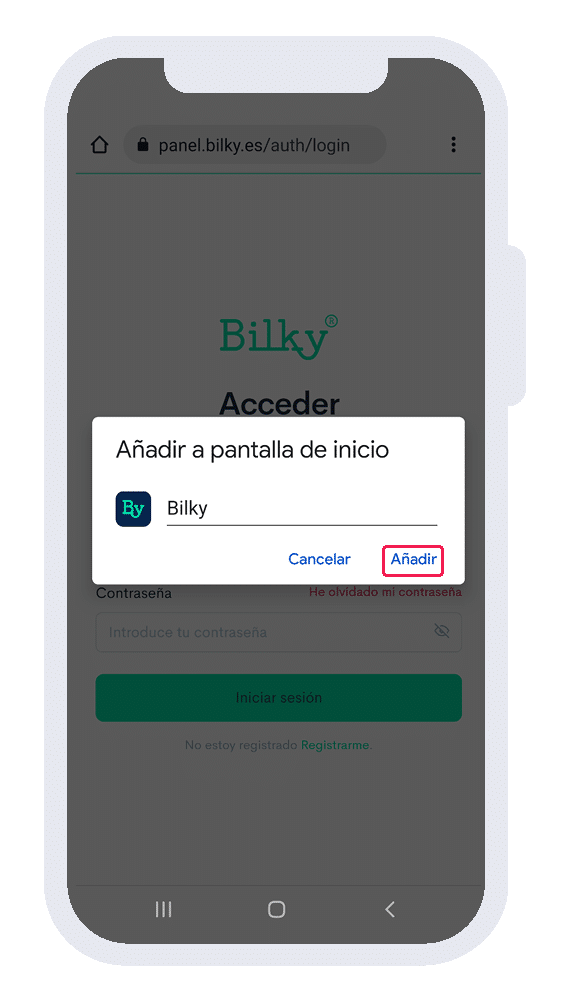
Step 5 – Click add
Click on the option ‘Add’ and we will have the shortcut (it will be shown together with other main Apps) in our mobile.
Step 6 – Shortcut created
You have already created the shortcut (App) in the home screen of your cell phone. Now you will be able to access the Bilky Portal login panel.
